
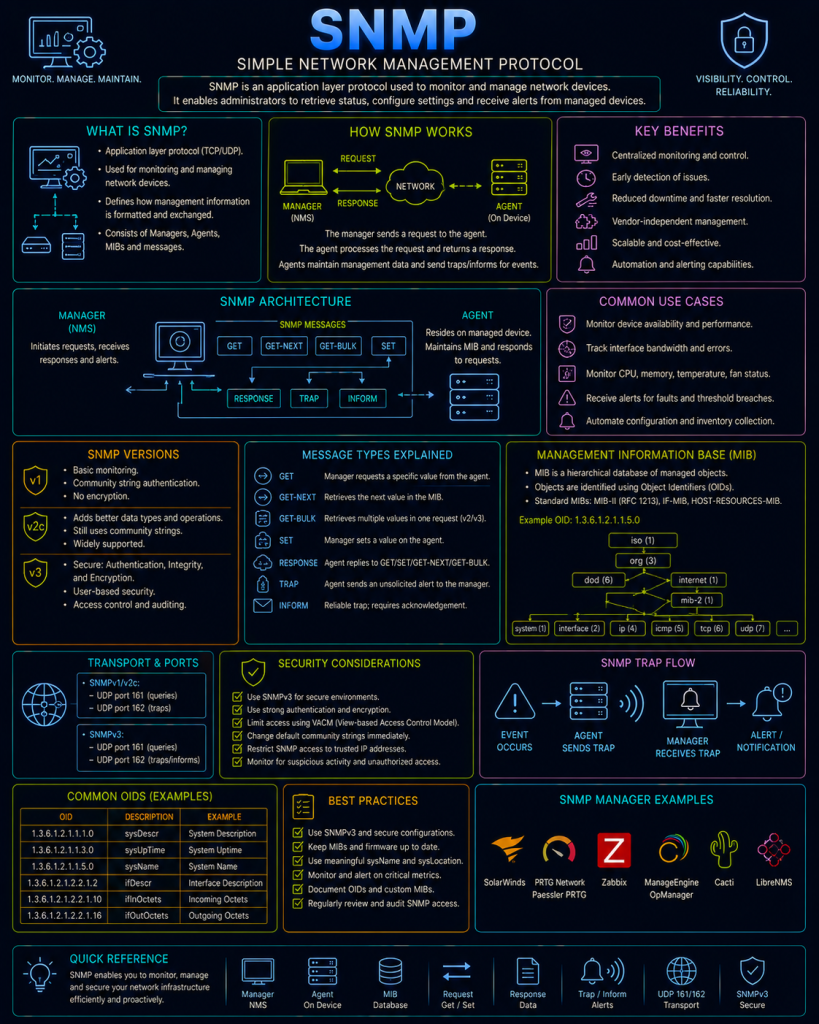
SNMP (Simple Network Management Protocol) is used to monitor and manage network devices remotely — E.G. checking a switch’s port statistics, a router’s CPU load, a printer’s toner level, or a server’s disk space, all without needing to log into each device individually via SSH or a web interface. It’s a foundational protocol behind most network monitoring dashboards and tools.
SNMP typically operates over UDP, using port 161 for standard queries and port 162 for traps (unsolicited alerts, covered below).
The SNMP architecture
SNMP involves two main roles:
- The manager: The monitoring system or software making requests — this is typically a Network Management System (NMS), a dedicated monitoring platform that polls many devices across a network on a schedule.
- The agent: Software running on the device being monitored (a switch, router, server, printer) that responds to the manager’s requests, and can report information back about that device’s current state.
MIBs and OIDs
Every piece of information an SNMP agent can report is identified by an OID (Object Identifier) — a long, dotted numeric string that uniquely identifies a specific data point, structured as a globally organised tree, somewhat similar in concept to how a Distinguished Name identifies a specific object’s position in an LDAP directory (see the LDAP page).
For example, an OID like 1.3.6.1.2.1.1.3.0 might represent “system uptime” — a specific, standardised piece of information any compliant device can report if asked for that exact OID.
A MIB (Management Information Base) is essentially a translation document — a file that maps these long numeric OIDs to human-readable names and descriptions, so that a network administrator (or their monitoring software) doesn’t need to memorise raw numeric strings to know that a particular OID actually means “CPU temperature” or “interface 3’s inbound traffic counter.” Device manufacturers publish MIBs for their own hardware, defining any vendor-specific OIDs beyond the common, standardised ones.
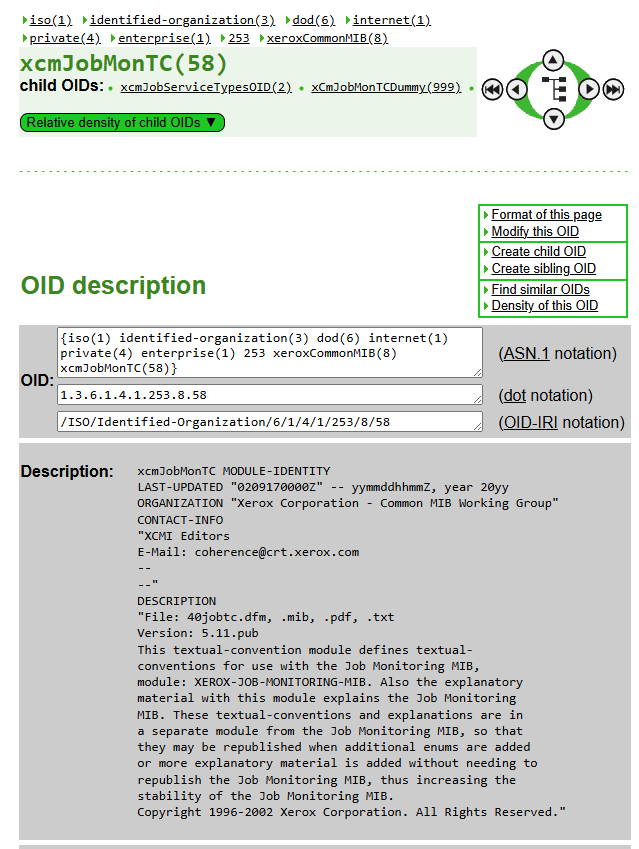
You can explore OIDs at the OID repository
SNMP operations
SNMP defines a small number of core operations:
- GET: The manager requests the current value of a specific OID from an agent — for example, asking for the current CPU load.
- GETNEXT: Requests the next OID in the tree, sequence, used by monitoring tools to “walk” through and discover an entire branch of available data without needing to already know every individual OID in advance.
- SET: Allows the manager to change a value on the device, rather than just reading one — for example, remotely renaming an interface or adjusting a configuration setting.
- TRAP: Unlike the operations above (all initiated by the manager), a trap is sent unprompted, by the agent, to alert the manager that something significant has happened — a port going down, a device rebooting, a threshold being exceeded. This allows a monitoring system to be notified of an important event immediately, rather than only finding out the next time it happens to poll that specific device.
SNMP versions
SNMP has gone through three major versions, and — much like several other protocols covered on this site — the security differences between them are substantial.
SNMPv1 and SNMPv2c
The original versions, using a very simple authentication mechanism called a community string — essentially a shared, plain-text password. A manager includes the correct community string in every request, and the agent only responds if it matches (a common convention, though not a security guarantee in itself, is to use a “read-only” community string for GET operations and a separate “read-write” one for SET operations). Critically, this community string is sent completely unencrypted and in plain text, and there’s no mechanism at all to verify the identity of who’s actually sending a request beyond simply knowing this shared string.
SNMPv2c added some functional improvements over v1 (like a more efficient bulk-retrieval operation), but kept the same fundamentally weak community-string authentication model.
SNMPv3
The current version, and a substantial security overhaul compared to v1/v2c. SNMPv3 introduces:
- User-based authentication: Individual usernames and credentials, rather than one shared community string used by everyone.
- Message integrity: Cryptographic verification that a message hasn’t been tampered with in transit.
- Encryption: SNMPv3 can encrypt the entire message payload, rather than sending everything, including authentication details, as plain text.
Despite SNMPv3 having been available for many years, SNMPv1 and v2c remain in widespread use in practice, largely due to simplicity, legacy device support, and — often — administrators simply never getting around to migrating existing monitoring configurations to the more secure version.
Checking SNMP yourself
The snmpwalk and snmpget utilities (part of the widely available net-snmp toolset) allow you to query a device directly from the command line:
snmpwalk -v2c -c public 192.168.100.100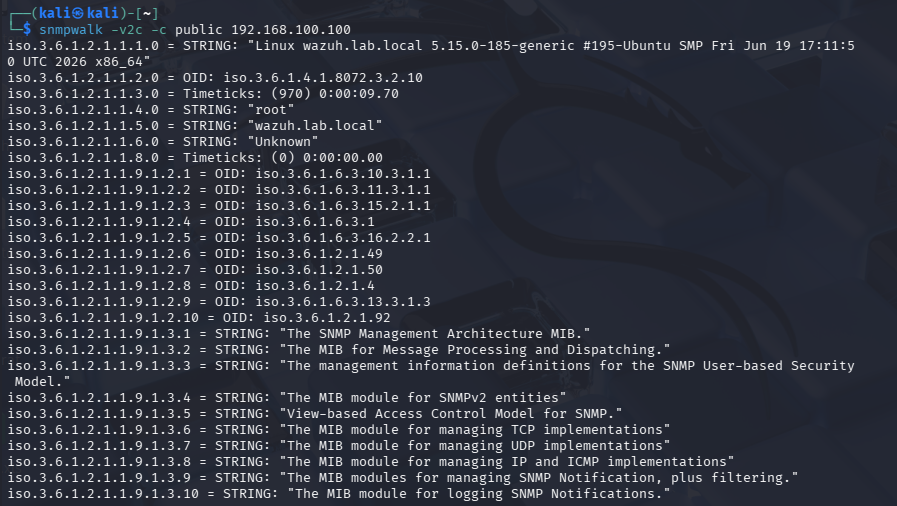
This example “walks” an entire device using SNMPv2c with the community string public — deliberately chosen here because it’s also, unfortunately, one of the most common default community strings still found on real, unconfigured devices (see the security section below).
SNMP and security
SNMP’s design — particularly in its older, still-common versions — creates some genuinely significant, well-known risks.
Default community strings are a classic, still-common misconfiguration. public (typically read-only) and private (typically read-write) have been the conventional default community strings since SNMP’s earliest days, and a large number of real, deployed devices are never changed away from these defaults. A device left with a default read-write community string exposed to an untrusted network doesn’t just leak information — since SET operations are also gated by the same community string, an attacker who discovers it may be able to actively reconfigure the device itself, not merely read data from it.
SNMPv1/v2c traffic is trivially interceptable. Because the community string is sent as plain text with every single request, anyone able to observe SNMP traffic on the network — the same kind of position covered on the Man in the Middle page — can simply read it directly out of the captured traffic, immediately gaining the same level of access as a legitimate monitoring system.
Information disclosure through SNMP can significantly aid reconnaissance. Even a read-only SNMP query, without any malicious SET operation involved at all, can reveal a great deal about a network’s structure — device models, software versions, interface configurations, sometimes even a full list of other devices a router or switch is connected to. This kind of detail is often exactly what an attacker wants during the early reconnaissance phase of an attack, in a similar way to the anonymous LDAP bind risk covered on the LDAP page — both let an attacker map out a network’s structure without needing to have compromised anything yet.
SNMP can be abused for Denial of Service amplification. Like several other UDP-based protocols already covered on this site (see the NTP and ICMP pages), an SNMP request’s small size relative to a potentially larger response, combined with UDP’s spoofable source address, makes exposed SNMP-enabled devices a candidate for reflection/amplification attacks against a third-party victim.
Given all this, standard hardening advice for SNMP includes migrating to SNMPv3 wherever device support allows, immediately changing default community strings on any device still running v1/v2c (and choosing strong, non-guessable ones), restricting which IP addresses are permitted to query SNMP at all via firewall rules, and — as with several other management protocols covered on this site (see the RDP and SMB & Samba pages) — never exposing SNMP directly to the public Internet.