
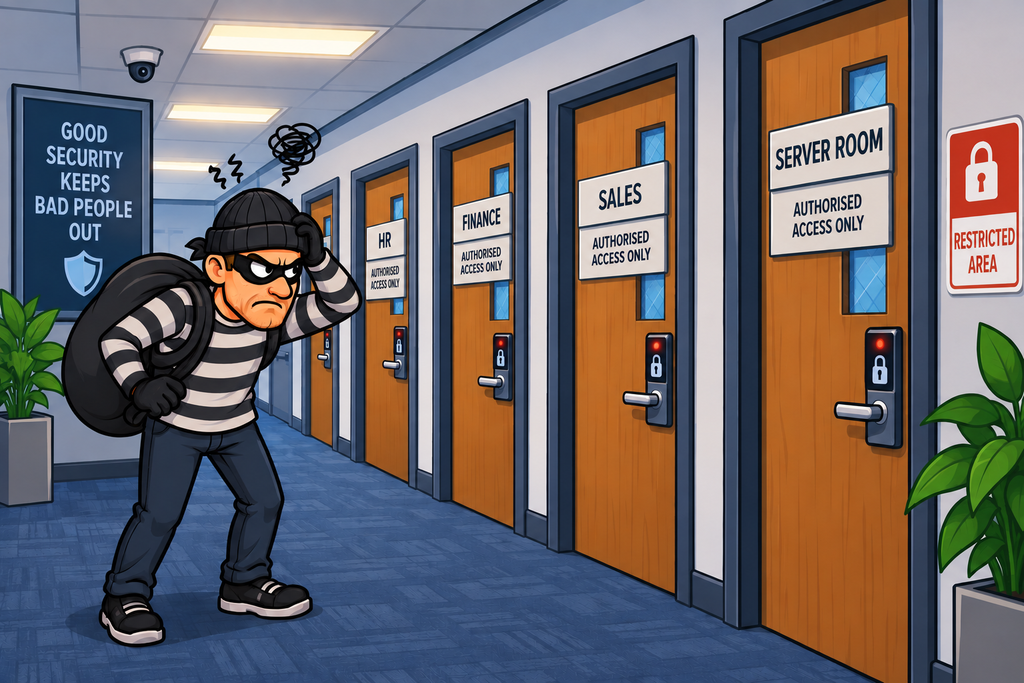
Imagine an office building with a single enormous room.
Everyone works in the same space.
The finance team sits next to the developers. The IT administrators sit next to reception. The server room is in the middle of the office, with no walls or doors separating it from everyone else.
If an attacker manages to get into the building, they can potentially walk straight to almost anything.
Now imagine the same building divided into separate areas, with controlled doors between them.
An attacker who gets into Sales doesn’t automatically get access to Finance, IT or the server room.
This is the basic idea behind network segmentation.
Network segmentation divides a network into separate security zones and controls the traffic that can pass between them.
It is an important example of Defence in Depth and can significantly limit an attacker’s ability to move through an environment.
What Is Network Segmentation?
In a flat network everything is effectively connected to everything else, but in a a segmented network services and data are contained within access-controlled areas which makes for a much more secure and manageable environment
The important difference is that communication between the areas is controlled.
Network segmentation therefore isn’t simply about creating different networks – It is about creating security boundaries.
Why Segment a Network?
There are a number reasons for segmentation, but the two main ones are:
- Reduce the Attack Surface – If systems don’t need to communicate, there is little reason to allow them to. Fewer permitted communication paths mean fewer opportunities for an attacker.
- Limit Lateral Movement – One of the biggest benefits of segmentation is limiting lateral movement. On a flat network an attacker may be able to scan and attack many other systems, but with segmentation, the attacker may still have a foothold, but their ability to move elsewhere is restricted.
Systems should only be able to communicate when there is a legitimate requirement for them to communicate.
This is essentially Least Privilege applied to network communication.
Physical Network Segmentation
Network segmentation can be physical as well as logical.
Physical segmentation means that separate networks use physically separate infrastructure with no links between the two networks – This can provide a very strong security boundary.
Air Gaps
The most extreme form of physical segmentation is an air gap. An air-gapped system has no direct network connection to another network.
There is deliberately no network path between the two environments.
Air gaps may be used for particularly sensitive systems, such as:
- Industrial control systems
- Critical infrastructure
- High-security environments
- Certain military systems
- Offline backup systems
- Highly sensitive research environments
However, an air gap doesn’t mean magically impossible to compromise – Data still has to enter and leave the environment somehow, and that can introduce other risks.
Air Gaps Aren’t Always Truly Isolated
Consider an air-gapped network where someone transfers files using a USB drive.
The network itself may be isolated:
But the USB device has become a bridge between the two.
This means physical segmentation must consider more than just the network cables.
Other potential bridges include:
- Laptops
- Maintenance equipment
- Portable storage
- Removable media
- Wireless interfaces
- Bluetooth
- Human operators
This is why genuinely isolated environments often require strict physical and procedural controls as well.
Logical Network Segmentation
The other major approach is logical segmentation.
Instead of using completely separate physical networks, one physical network can be divided into multiple logical networks.
This is commonly achieved using:
- VLANs
- Subnets
- Routing
- Firewalls
- Network ACLs
- Security groups
- Software-defined networking
The same physical switching infrastructure can support multiple logical networks.
VLANs
A Virtual Local Area Network (VLAN) allows a physical switched network to be divided into separate logical broadcast domains.
Devices in different VLANs are logically separated and they cannot normally communicate directly at Layer 2.
To communicate between VLANs, traffic needs to be routed which creates an opportunity to enforce security policy as to what data can be routed between the separate VLANs.
Subnets
A subnet divides an IP network into a number of smaller networks.
For example:
10.0.0.0/16
     │
     ├── 10.0.10.0/24
     │      Users
     │
     ├── 10.0.20.0/24
     │      Servers
     │
     ├── 10.0.30.0/24
     │      Management
     │
     └── 10.0.40.0/24
            Guests
Subnets provide logical separation at the IP layer, but simply putting systems into different subnets does not automatically make them secure – There still needs to be an appropriate routing and filtering policy between them.
VLAN vs Subnet
VLANs and subnets are related but aren’t the same thing.
A simplified way to think about them is:
A VLAN Creates a logical Layer 2 network, whereas a Subnet defines a Layer 3 IP network.
They are frequently used together however:
VLAN 10
    │
    └── 10.0.10.0/24
        USERS


VLAN 20
    │
    └── 10.0.20.0/24
        SERVERS


VLAN 30
    │
    └── 10.0.30.0/24
        GUESTS
This makes the architecture easier to understand and manage.
Routers as Segmentation Devices
Routers naturally separate IP networks. The router determines where packets should go.
However, a basic router isn’t necessarily a security control, it may simply route traffic.
To enforce security policy, organisations can use:
- Access Control Lists
- Firewalls
- Next-generation firewalls
- Security gateways
Multi-Homed Firewalls
A firewall can have multiple network interfaces – This is known as a multi-homed firewall.
Each interface can connect to a different security zone which allows the firewall to control traffic between those zones. Traffic to one zone may be subject to one set of rules, but the same traffic to another zone may be subject to a different set of rules.
The DMZ
A DMZ (Demilitarised Zone) is a network segment used to isolate systems that need to be accessible from less-trusted networks.
The idea is that Internet-facing systems don’t sit directly on the internal network.
For example, If an Internet-facing web server is compromised, the attacker could use this as a staging post to gain further access into the corporate network.
However, if the webserver is sited within the DMZ, the attacker still has another security boundary to overcome before reaching internal systems.
Why Have Two Firewalls?
A DMZ can be implemented using separate firewalls or using different interfaces/zones on a single firewall.
Imagine a webserver positioned in the DMZ – one firewall manages traffic between the Internet and the DMZ, the other manages traffic between the DMZ and the internal network.
Access from the Internet can be explicit deny for all but HTTP / HTTPS traffic, but access from the internal network could be more permissive – maybe SSH or FTP is allowed for users to move data to the webserver
Security Zones
Modern firewalls often allow administrators to define security zones. Rules can then be based on zones rather than individual interfaces.
For example:
INTERNET → DMZ       HTTPS       ALLOW
INTERNET → INTERNAL  Any         BLOCK
DMZ → INTERNAL       Required    LIMITED
USERS → SERVERS      Required    LIMITED
GUESTS → INTERNAL    Any         BLOCK
This makes the security architecture much easier to reason about.
Micro-Segmentation
Traditional segmentation might create a handful of large zones. Micro-segmentation takes this much further.
Instead of allowing broad communication between an entire network segment, policies can be applied to individual workloads or groups of systems.
Even another server in the same physical network may be unable to communicate with other systems.
This significantly reduces lateral movement.
Network Access Control
Network Access Control (NAC) can also be used to determine where devices are placed on a network.
This means that simply connecting a device to a network doesn’t automatically give it unrestricted access.
Wireless Segmentation
Segmentation also applies to wireless networks.
A typical organisation might have might have multiple Wireless networks – for example, one for staff, one for guests, and one for IoT or OT devices
A guest shouldn’t normally be able to communicate directly with internal corporate systems, likewise, an IoT device may not need unrestricted access to employee workstations. Wireless segmentation facilitates this.
Management Networks
Another important example is management-plane segmentation.
Network infrastructure often has administrative interfaces.
For example routers, firewalls, IDS, switches all have management interfaces for configuration activities
Normal users shouldn’t necessarily have access to the management interfaces of critical infrastructure, so separating management traffic reduces the opportunity for attackers to target administrative systems from ordinary user networks.
Backup Network Segmentation
Backup infrastructure is another excellent candidate for segmentation.
If ransomware compromises the normal network and can also access the backups, the organisation may lose its ability to recover.
A better architecture would be one where the backup infrastructure is segmented away from the normal user network segment
Segmentation can therefore help protect the very systems needed to recover from an attack.
How Attackers Can Get Around Segmentation
Segmentation is powerful, but it isn’t an impenetrable barrier. Attackers may attempt to find another route.
Segmentation slows and restricts this movement, but it doesn’t necessarily prevent it entirely.
1. Exploit Allowed Traffic
Suppose users are allowed to communicate with an application server over HTTPS. An attacker who compromises a user workstation can use that legitimate connection.
The firewall may be doing exactly what it was designed to do, but the problem is that the allowed path is being abused.
This is another reason why segmentation should be combined with application security, authentication and monitoring.
2. Misconfiguration
As with firewalls, segmentation can fail because of configuration errors.
Possible causes include:
- Incorrect firewall rules
- Incorrect routing
- VLAN configuration mistakes
- Trunking errors
- Overly broad security groups
- Temporary rules
- Poor documentation
Configuration management and regular review are therefore critical.
3. VLAN Hopping
There are attacks specifically aimed at VLAN configurations. For example, weaknesses in switch configuration can potentially allow an attacker to send traffic through the switch for one VLAN that is interpreted as belonging to another VLAN.
This is one reason organisations should carefully configure:
- Switch ports
- Trunk ports
- VLAN tagging
- Native VLANs
- Unused interfaces
- Management interfaces
VLANs are useful security mechanisms, but they need to be configured securely.
4. Physical Access Can Defeat Logical Segmentation
Consider a logically segmented network.
An attacker gains physical access to an office and connect a device directly to a network port.
If that port isn’t properly controlled, the attacker may obtain network access.
This is why physical and logical security need to work together.
The Practical Approach
A good segmentation strategy starts with understanding the environment.
Identify systems
Determine:
- What systems exist?
- What services do they provide?
- Which systems contain sensitive information?
Identify communication requirements
Ask “What actually needs to communicate with what?”
Create security zones
For example:
- Internet
- DMZ
- User network
- Application network
- Database network
- Management network
- Backup network
Define allowed traffic
For every boundary, define:
Source
Destination
Protocol
Port
Reason
Deny unnecessary traffic
The goal should be:
Required communication → ALLOW
Everything else        → BLOCK
Monitor
Segmentation creates useful visibility.
Unexpected communication between segments may indicate:
- Misconfiguration
- Malware
- Lateral movement
- Insider activity
- Compromised systems
Network Segmentation as a Security Control
Network segmentation is primarily a preventive security control. It attempts to prevent unauthorised communication and limit an attacker’s ability to move between systems.
But segmentation can also support detective controls.
For example unexpected traffic attempting to cross between segments should be logged and the data sent to a SIEM for triage, and possible alerting
A segmented network therefore gives security teams both control and visibility.
In Summary
Network segmentation divides an environment into separate security zones and controls the communication between them.
There are two broad approaches.
Physical segmentation
Uses physically separate infrastructure.
Examples include:
- Separate switches
- Separate cabling
- Separate routers
- Dedicated networks
- Physically isolated systems
- Air-gapped networks
Logical segmentation
Uses shared physical infrastructure but creates logical separation.
Examples include:
- VLANs
- Subnets
- Routing
- Network ACLs
- Security groups
- Micro-segmentation
- Software-defined networking
Devices and technologies that enforce segmentation include:
- Routers
- Firewalls
- Multi-homed firewalls
- Layer 3 switches
- Network ACLs
- Network Access Control systems
- DMZs
- Cloud security groups and network controls
The security benefit comes from controlling communication between these segments.
Good segmentation:
- Reduces the attack surface
- Limits lateral movement
- Protects sensitive systems
- Separates untrusted systems
- Protects management infrastructure
- Helps protect backups
- Supports Least Privilege
- Provides Defence in Depth
- Creates useful security boundaries
- Provides additional monitoring opportunities
But segmentation isn’t automatically secure – Poorly configured segmentation can create the appearance of security without providing much real protection.
The goal isn’t “Put everything on a different VLAN.”
The goal is more “Only allow the network communication that is actually required.”
In other words:
If an attacker gets through one door, don’t give them a clear path to every other room in the building