
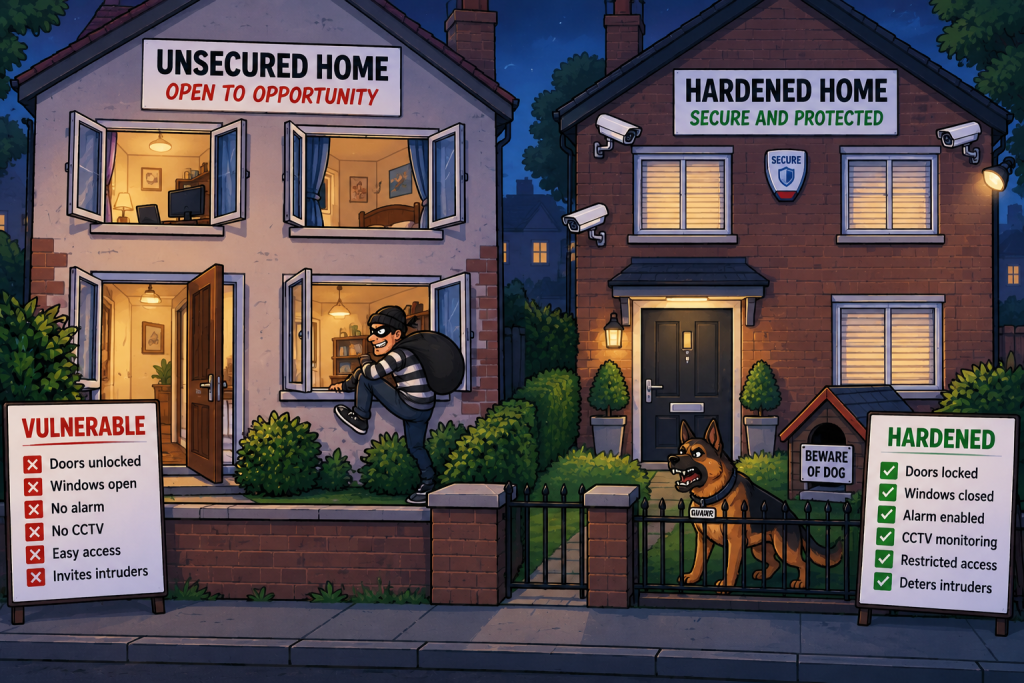
Imagine buying a brand-new house.
When it is first built, every door is unlocked, every window is open, the garage door is raised, and the default alarm code is still set to 1234.
The house isn’t broken – but it certainly isn’t secure.
Before moving in, you would probably change the locks, change the alarm code, remove spare keys, close unnecessary entrances, and install other security measures.
System hardening is the cybersecurity equivalent of securing that house.
Hardening is the process of reducing the attack surface of a device, operating system, application or network by removing unnecessary functionality, changing insecure defaults, and applying secure configuration settings.
If a feature is not needed, disable it. If a service is not required, remove it. If a default setting is insecure, change it.
Hardening is one of the most important preventive security controls because it reduces the number of ways an attacker can compromise a system before an attack even begins.
What Is Hardening?
Every operating system, server, network device and application ships with a default configuration.
Those defaults are often designed for:
- Ease of installation.
- Compatibility.
- Broad functionality.
- Testing and development.
- Supporting many different users.
They are not necessarily designed for maximum security.
A default server might look like this:
              NEW SERVER

  ✓ Web Server Installed
  ✓ FTP Enabled
  ✓ Telnet Enabled
  ✓ Remote Desktop Enabled
  ✓ Guest Account Enabled
  ✓ Sample Applications Installed
  ✓ Default Password
A hardened server looks very different.
            HARDENED SERVER

  ✓ Only Required Services
  ✓ Secure Authentication
  ✓ Firewall Enabled
  ✓ Unused Accounts Removed
  ✓ Latest Security Updates
  ✓ Logging Enabled
  ✓ Secure Configuration
Hardening is about turning a general-purpose system into a system that performs its intended role – and nothing more. Its another example of Least Privilege – the capability of the device should be just enough to fulfil its role – nothing more
Why Is Hardening Important?
Attackers look for weaknesses to abuse.
Every unnecessary service, open port, user account or installed application creates another potential weakness and another opportunity for attack.
Hardening reduces those weaknesses and the associated atatck opportunities.
Benefits include:
- Smaller attack surface.
- Fewer exploitable services.
- Better security posture.
- Reduced malware opportunities.
- Improved compliance.
- Easier monitoring.
- Lower operational risk.
Hardening the Operating System
Operating systems are one of the most important places to start.
Remove Unnecessary Software
A fresh installation of an operating system may contain components that are never used.
Examples include:
- Games.
- Demo applications.
- Legacy utilities.
- Printing services.
- Media components.
- Developer tools.
Every removed component is one less potential vulnerability.
Disable Unused Services
Many operating systems start services automatically, and again – many of these may never be required buy the organisation.
Examples include:
- FTP.
- Telnet.
- Remote Registry.
- Bluetooth.
- File sharing.
- Web services.
- Discovery services.
             SERVICES

 FTP               OFF
 Telnet            OFF
 SMBv1             OFF
 Bluetooth          OFF
 Remote Registry    OFF
 Required Services  ON
If nobody needs the service, it should not be running.
Disable Legacy Protocols
Older protocols often remain enabled for backwards compatibility with legacy services.
Examples include:
- SMBv1.
- Telnet.
- SSL 3.0.
- TLS 1.0.
- TLS 1.1.
- Older cipher suites.
These may contain well-known weaknesses.
A hardened system disables obsolete protocols wherever practical.
Secure User Accounts
Hardening also needs to include user account management.
Examples include:
- Remove guest accounts.
- Disable unused accounts.
- Rename default administrator accounts (where appropriate).
- Enforce MFA.
- Enforce strong passwords.
- Remove shared accounts.
This aligns closely with Least Privilege.
Password Policies
Hardening includes strengthening authentication settings.
Examples include:
- Minimum password length.
- Password history.
- Lockout policies.
- MFA requirements.
- Password expiration (where appropriate for organisational policy).
Local Security Policies
Operating systems include many configurable security settings, which collectively strengthen the operating system.
Examples include:
- Audit policies.
- User rights assignments.
- Account lockout thresholds.
- Interactive logon behaviour.
- Credential protection.
- Security options.
Patch Management Is Part of Hardening
Hardening is not a one-time activity – Keeping systems updated is essential.
Without patching, a hardened configuration may still contain vulnerable software.
Network Hardening
Network devices also require hardening.
- Close Unused Ports – A server exposing unnecessary ports increases its attack surface.
- Use firewalls and host firewalls to restrict access.
- Disable Unused Network Protocols (e.g. Telnet, FTP, SNMP v1 & v2)
- Harden Network Devices – Routers, switches and firewalls should also be hardened.
Server Hardening
Servers generally perform one role – A web server should not also be a mail server, print server and file server unless specifically required to be so.
This reduces complexity, attack surface and removes the single-point-of-failure.
Remove Default Content
Many servers ship with:
- Sample applications.
- Test pages.
- Documentation.
- Demo APIs.
- Example scripts.
Attackers often check for these, so they should be removed from production systems.
Restrict Administrative Access
Administrative interfaces to servers should be tightly controlled – and never expose unnecessary administration interfaces directly to the Internet.
Examples include:
- VPN only.
- Management VLAN.
- MFA required.
- Privileged Access Management.
- IP allow lists.
Desktop Hardening
User workstations need hardening too.
- Remove Local Administrator Rights – Most users do not need administrator privileges. This significantly limits malware capability
- Enable Disk Encryption – Protect data on the device (e.g. Bitlocker, or FileVault)
- Enable Secure Boot – Secure Boot helps ensure trusted software loads during startup.
- Configure Endpoint Protection Settings – e.g. Microsoft Defender, Tamper protection, SmartScreen, Credential Guard, Exploit Protection, Controlled Folder Access, etc.
Application Hardening
Applications also need secure configuration.
- Remove Unused Features – e.g. Plugins & Extensions, Sample APIs, Legacy authentication features, Debug interfaces. Disable anything not required.
- Enforce Secure Configuration – Disable anonymous access, Disable default accounts, Enforce MFA, Enable secure cookies, Use HTTPS only, Disable insecure cipher suites, etc. Configuration is often more important than installation.
- Keep Applications Updated – Applications need patching just as operating systems do.
Web Server Hardening
Web servers deserve special attention as they are Internet facing, often have access to back-end databases, can be used as an entry point to the network, can be used to attack other users.
- Remove directory browsing.
- Disable server version banners.
- Disable unnecessary HTTP methods.
- Enforce HTTPS.
- Use secure TLS configuration.
- Remove default pages.
Database Hardening
Databases often contain sensitive information (user data, financial data, corporate information, etc.)
- Remove default accounts.
- Disable sample databases.
- Restrict network access.
- Encrypt connections.
- Encrypt backups.
- Limit administrator access.
The database should rarely be directly accessible from user networks.
Cloud Hardening
Cloud environments also require hardening. Cloud services are regularly targeted by threat actors
- Disable public storage buckets.
- Use private networking.
- Restrict security groups.
- Enable encryption.
- Enable logging.
- Remove unused IAM permissions.
Cloud providers secure the infrastructure, but customers must securely configure the services they use.
Mobile Device Hardening
Most staff use mobile devices to conduct business, so mobile devices should also be hardened if they are being used for work activities.
- Device encryption.
- Screen lock.
- Biometrics.
- MFA.
- Application allowlisting.
- Remote wipe.
- Operating system updates.
Enterprise environments often use Mobile Device Management (MDM) to enforce these settings.
Browser Hardening
Web browsers are common attack targets. The browser is our window to the Internet / WWW, so is regularly targeted by threat actors.
- Disable unnecessary plugins.
- Block third-party extensions.
- Enable Safe Browsing.
- Enable HTTPS-only mode where appropriate.
- Restrict downloads.
- Disable insecure protocols.
Email Hardening
Email remains a major attack vector – Phishing attacks are one of the most widely seen cyber attacks across the world.
- Disable automatic macro execution.
- Block executable attachments.
- Enable SPF.
- Enable DKIM.
- Enable DMARC.
- Enable attachment scanning.
These reduce phishing and malware risk.
Hardening Through Configuration Baselines
Most organisations do not invent hardening settings from scratch – Instead they use security baselines.
Examples include:
- CIS Benchmarks.
- Microsoft Security Baselines.
- DISA STIGs.
- Vendor hardening guides.
- NIST guidance.
These provide recommended secure configurations for operating systems and applications.
CIS Benchmarks
The Center for Internet Security (CIS) publishes detailed hardening recommendations. A benchmark may include settings for:
- Windows.
- Linux.
- macOS.
- Azure.
- AWS.
- Docker.
- Kubernetes.
- Databases.
- Browsers.
- Network devices.
Each recommendation explains:
- The security benefit.
- The potential operational impact.
- How to implement it.
This makes CIS Benchmarks widely used across industry.
DISA STIGs
Security Technical Implementation Guides (STIGs) provide very detailed hardening guidance, particularly for government and defence environments.
They are generally stricter than many commercial baselines due to being used within highly sensitive environments.
Automated Hardening
Hardening does not have to be a manual process, hardening can be automated.
Examples include:
- Group Policy.
- Microsoft Intune.
- Ansible.
- Puppet.
- Chef.
- SCCM.
- PowerShell Desired State Configuration.
- Cloud configuration policies.
If hardening is done manually, not only is it a lengthy process, it is vulnerable to being inconsistent across devices – Automation improves consistency.
Hardening and Secure Build Images
Many organisations build what is known in the industry as gold images.
A gold image is a standardised, pre-configured copy of an operating system that contains the approved settings, software, security controls, and updates an organisation wants on its devices.
It can then be used as a template to quickly deploy or rebuild multiple computers with a consistent configuration.
Example: An organisation creates a Windows 11 gold image with Microsoft 365, antivirus, firewall settings, security policies and approved applications already installed. That image is then deployed to every new desktop device in the organisation.
Instead of configuring every device manually – every system starts from the same hardened baseline.
This improves consistency and compliance.
Common Hardening Mistakes
Hardening is powerful and necessary process, but mistakes with hardening can create problems.
- Leaving Default Credentials – One of the oldest mistakes – Attackers routinely test default credentials.
- Forgetting Default Accounts – Some devices create vendor accounts during installation. Unused accounts should be disabled or removed. Again, attackers routinely look for default accounts.
- Too Many Services Enabled – Installing “everything just in case” increases attack surface.
- Poor Patch Management – A securely configured system running vulnerable software is still vulnerable.
- Over-Hardening – Security can also go too far – Hardening must support business requirements to allow staff to fulfil their roles accordingly.
Hardening as a Security Control
Hardening is primarily a preventive security control – It reduces the likelihood that attackers can exploit unnecessary services or insecure configurations.
However, it also supports detective controls because configuration changes can be logged and monitored. Unexpected configuration changes may indicate compromise.
In Summary
Hardening is the process of securely configuring systems, applications and network devices to reduce their attack surface and eliminate unnecessary risk. Common hardening activities include:
- Operating System Hardening
- Network Hardening
- Server Hardening
- Endpoint Hardening
- Cloud and Application Hardening
The most important principle to remember is:
A secure system is not the one with the most security software installed—it is the one with the fewest unnecessary ways for an attacker to interact with it.
In other words:
Don’t just build the house. Lock the doors, close the windows, remove the spare keys, and leave as few entrances open as possible.