
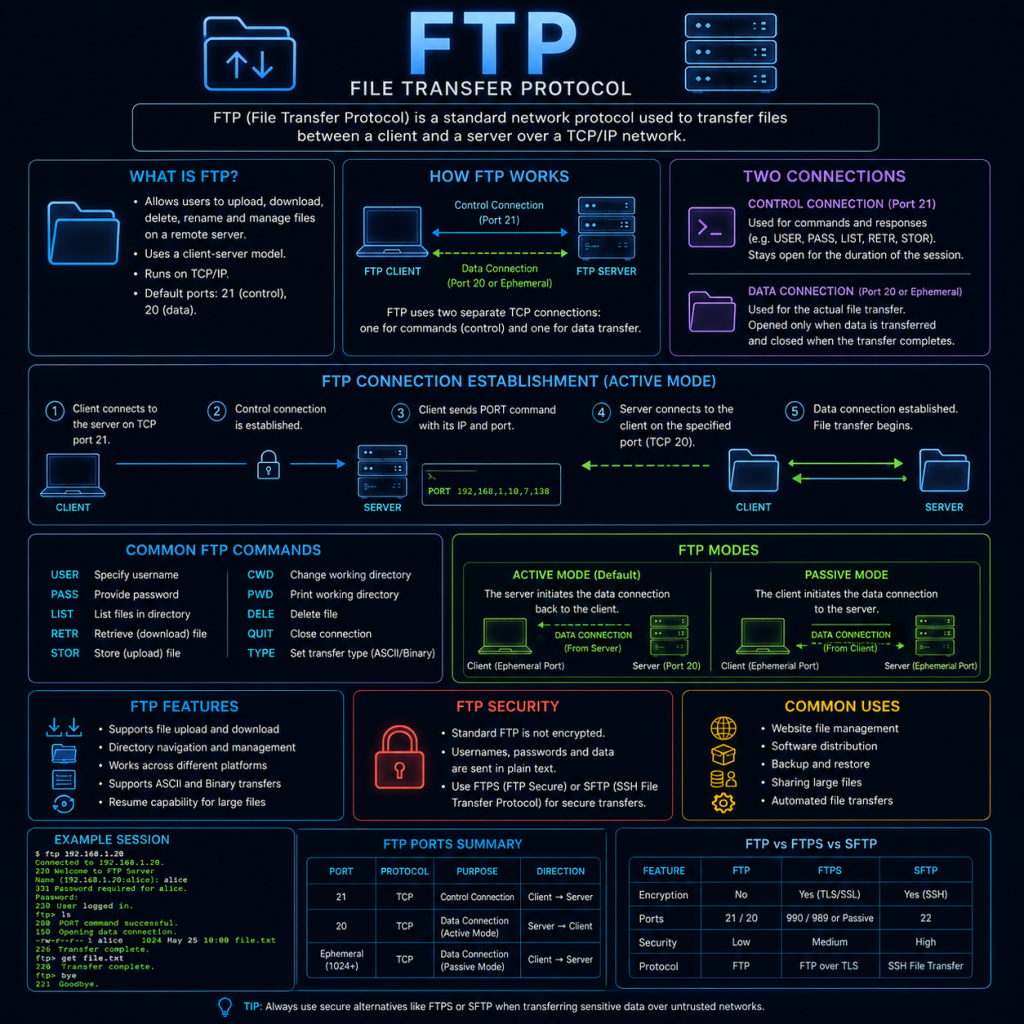
FTP and SCP are both used to transfer files between devices over a network, but they take very different approaches to doing so — one is a legacy protocol with no encryption built in, and the other rides on top of SSH to solve exactly that problem.
FTP (File Transfer Protocol)
FTP is one of the oldest protocols still in occasional use today, dating back to the early 1970s — long before security was a significant design consideration for Internet protocols.
How FTP works
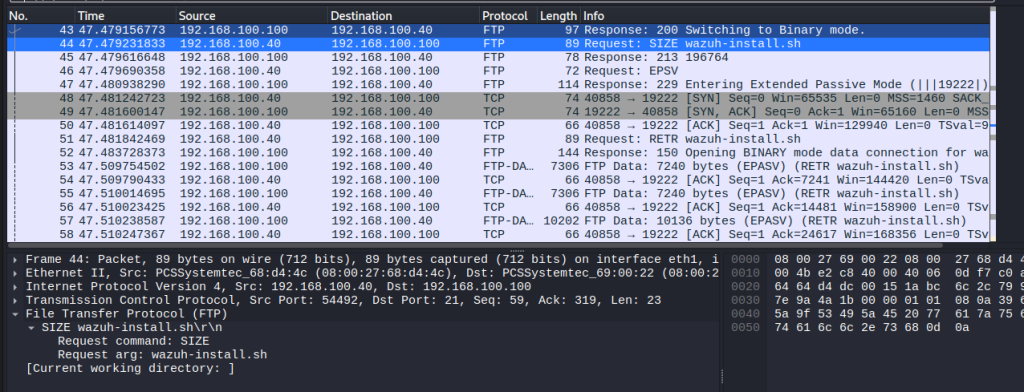
Unusually, FTP uses two separate connections rather than one:
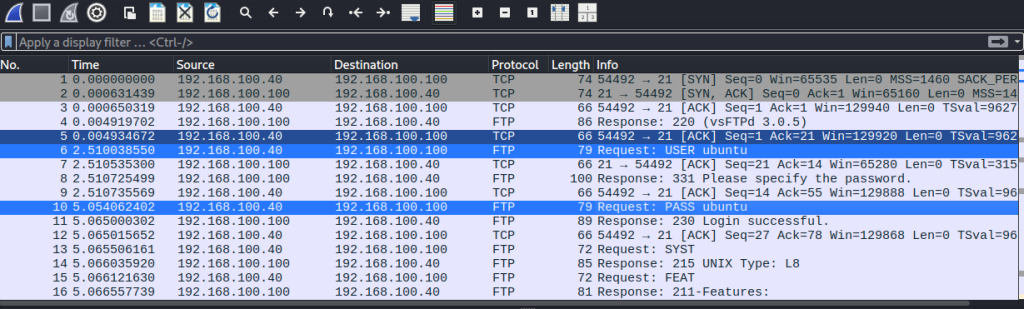
- The control connection (port 21): Used to send commands (such as “list files” or “download this file”) and receive responses. This connection stays open for the duration of the session.
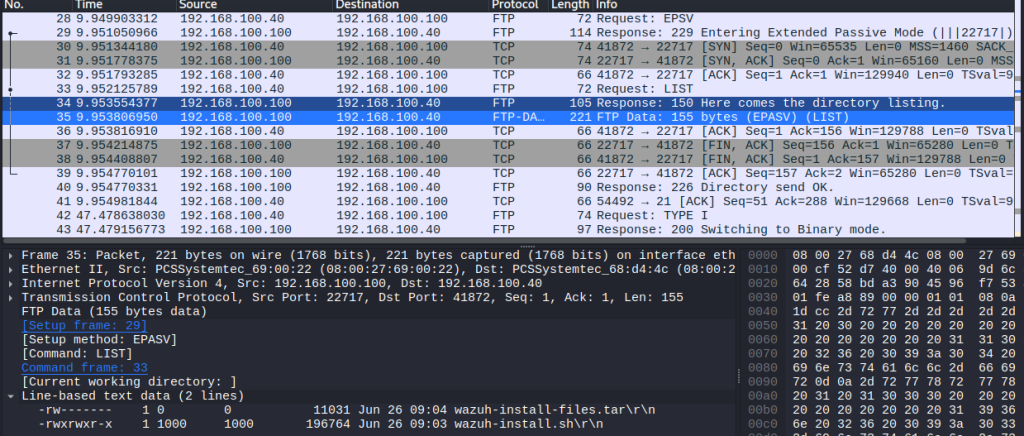
- The data connection: Used to actually transfer file contents or directory listings. A new data connection is opened for each individual transfer.
How that second, data connection gets established depends on which of FTP’s two modes is in use:
Active mode: The server initiates the data connection back to the client, connecting to a port the client specified during setup. This mode causes frequent problems with firewalls and NAT, since it requires the server to make an outbound connection to the client — the reverse of how most network traffic normally flows, and something firewalls are typically configured to block by default.
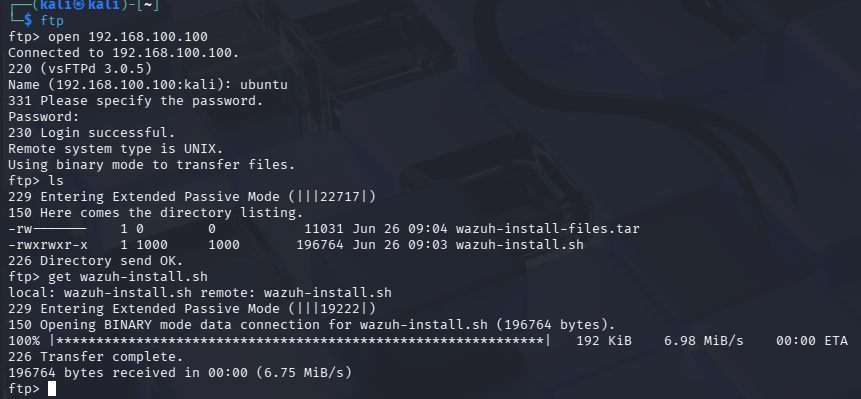
Passive mode: The client initiates both connections instead — the server simply opens a port and tells the client which one to connect to. This avoids the firewall/NAT issues of active mode, and is the default in most modern FTP clients.
FTP authentication
A user authenticates to an FTP server with a username and password, sent over the control connection. Many public FTP servers also support anonymous access, where “anonymous” is used as the username and no real password is required, intended for publicly downloadable files.
Why plain FTP is considered insecure
FTP was designed with no encryption whatsoever. This has two serious consequences:
- Credentials are sent in plain text. A username and password sent over the control connection can be read by anyone able to intercept the traffic — no cracking or guessing required.
- File contents are sent in plain text. Anything transferred over the data connection — documents, configuration files, backups — can be read in full by anyone intercepting that traffic too.
Because of this, plain FTP is now generally considered unsuitable for anything beyond transferring genuinely public, non-sensitive files, and even then, its lack of a “modern” design (particularly the awkward active/passive dual-connection model) has led most use cases to move to alternatives entirely.
SCP (Secure Copy)
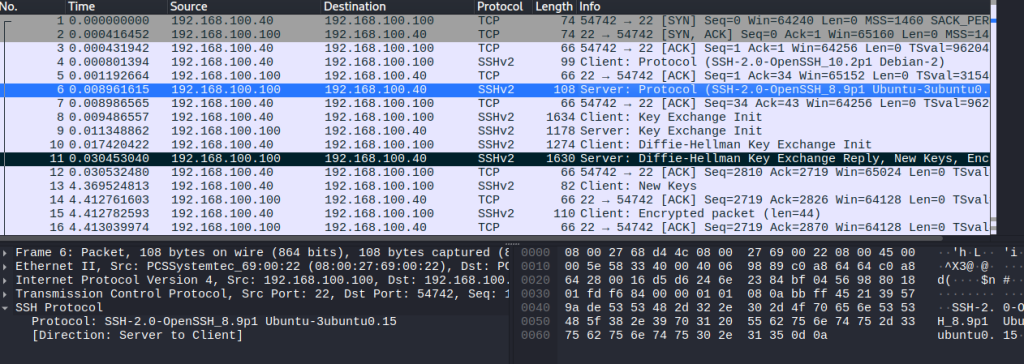
SCP takes an entirely different approach: rather than being its own standalone protocol with its own authentication and connection handling, SCP rides on top of an existing SSH connection, inheriting all of SSH’s encryption and authentication for free (see the SSH page for how that underlying connection works).
How SCP works
Because SCP uses SSH underneath, the process is straightforward:
- The client establishes a normal SSH connection to the server (port 22), authenticating exactly as it would for a regular SSH session — password or, preferably, key-based.
- Once authenticated, the file data is transferred through that same encrypted channel.
- The connection closes once the transfer completes.
There’s no separate control/data connection split like FTP, and no separate authentication step — it’s simply SSH, being used to move a file rather than open an interactive shell.
Basic SCP usage
Copying a file to a remote server:
scp myfile.txt user@server:/remote/path/Copying a file from a remote server:
scp user@server:/remote/path/myfile.txt ./Adding -r copies an entire directory recursively:
scp -r myfolder/ user@server:/remote/path/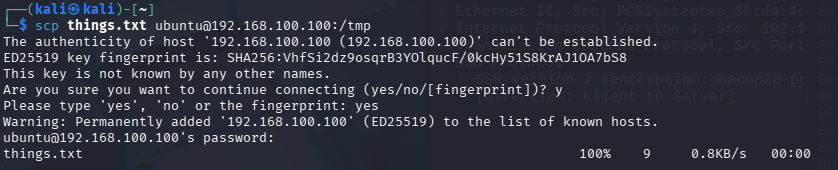
SCP vs SFTP
You’ll often see SFTP (SSH File Transfer Protocol) mentioned alongside SCP, and it’s easy to assume they’re the same thing since both run over SSH — but they’re actually different protocols with different capabilities.
SCP is intentionally simple: it can copy files and directories, and not much else. SFTP is more fully featured, supporting things like resuming an interrupted transfer, listing remote directory contents, renaming files, and deleting files — behaving much more like a full file management session than a one-shot copy command. Because of this, SFTP has largely become the preferred choice for interactive file transfer work (and is what most GUI tools like FileZilla or WinSCP actually use when connecting over SSH), while SCP remains popular for quick, scriptable one-line file copies.
Both, importantly, share the same underlying security properties, since both are built on SSH.
FTP & SCP and security
The contrast between these two protocols is a useful, concrete illustration of a wider security principle: a protocol’s age and simplicity is not a virtue if it comes at the cost of encryption.
Credential and data interception is the primary risk with plain FTP — since nothing is encrypted, capturing FTP traffic on a network (for example, via a Man in the Middle position) hands an attacker both login credentials and file contents with no further effort required. Tools like Wireshark can trivially extract an FTP password from a captured packet capture.
FTPS (FTP over TLS/SSL) exists as a way to bolt encryption onto FTP without abandoning it entirely, but it inherits FTP’s awkward dual-connection design, and is generally considered a less clean solution than simply moving to SFTP/SCP over SSH in the first place. It’s worth being aware FTPS exists mainly so it isn’t confused with plain FTP or with SFTP, since the similar naming causes frequent confusion.
Anonymous FTP misconfigurations are a recurring, real-world issue — servers intended to allow anonymous access to a specific public folder are sometimes misconfigured to expose far more than intended, and anonymous FTP servers are routinely scanned for and catalogued by attackers looking for accidentally exposed sensitive files.
Firewall complexity from active mode FTP is itself a minor security concern — administrators sometimes resort to broadly opening inbound firewall rules just to make active-mode FTP work reliably, widening the network’s attack surface more than necessary for what should be a narrow, specific use case.
Given all of this, the practical guidance is straightforward: prefer SCP or SFTP wherever there’s a choice, and treat any request to set up or use plain FTP as a prompt to ask whether SFTP would work instead.