
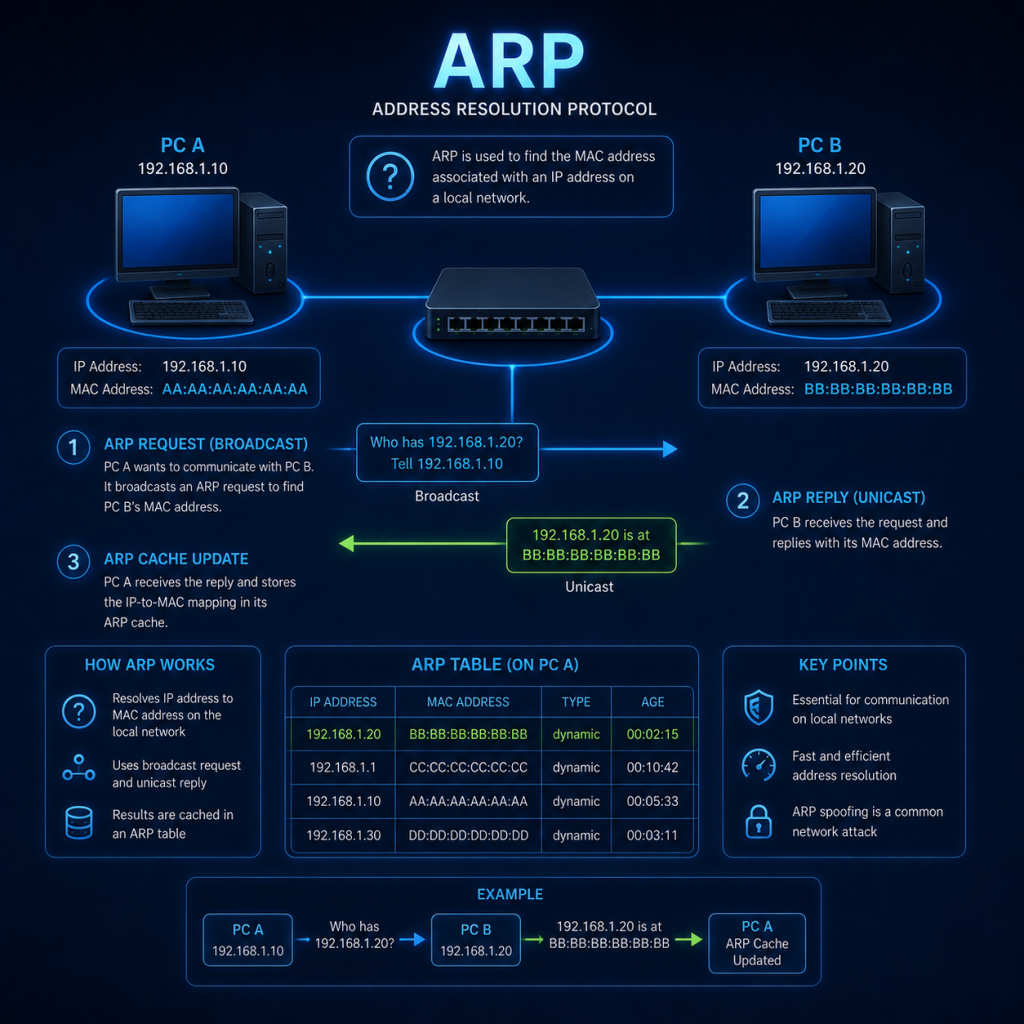
ARP (Address Resolution Protocol) is a protocol used in networking to map an IP address to a MAC address.
When a device wants to send data to another device on the same network, it will know the IP address of the destination device, but it needs to know the MAC address of the recipient so that it can send the data to the correct interface.
The sending device uses ARP to send a broadcast message to all other devices on the network, asking for the MAC address for the device with the corresponding IP address.
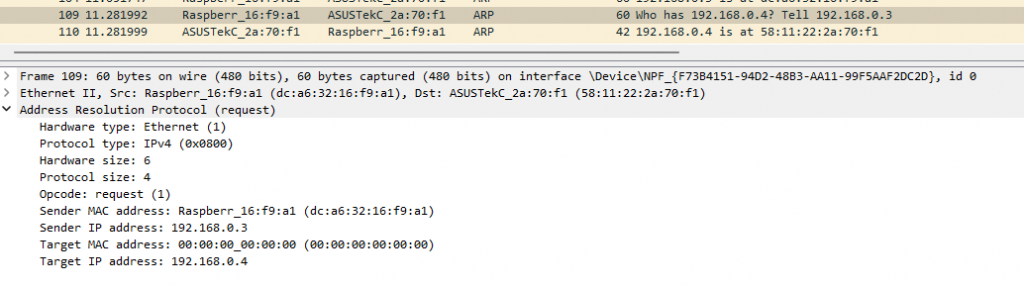
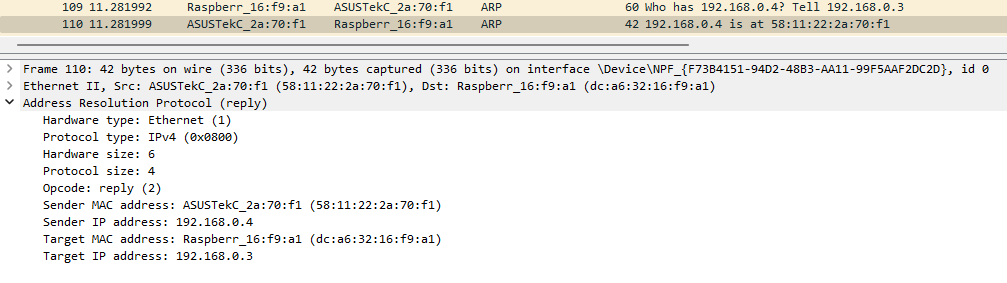
When the recipient device receives the broadcast message, it sends back a reply directly to the original sender — not to the whole network. Because the request already contained the sender’s MAC address, the recipient doesn’t need to broadcast its reply; it can address it straight back to whoever asked. The sender can then use this reply to send its data.
ARP is a vital part of network communications, as it enables devices to communicate with each other and exchange data. Without ARP, devices would not be able to determine the MAC addresses of other devices on the network, and communication would not be possible.
Gratuitous ARP
A gratuitous ARP (Address Resolution Protocol) is an ARP message whereby a device on a network broadcasts its own MAC address and IP address to all other devices on the network.
Gratuitous ARPs can serve a few different purposes, including:
- Updating ARP caches: When a device changes its IP address or MAC address, it can send a gratuitous ARP to update the ARP caches of other devices on the network. This helps ensure that other devices have the most up-to-date information about the device’s address.
- Detecting IP address conflicts: If two devices on a network have the same IP address, this can cause communication issues. By sending a gratuitous ARP, a device can detect if there is an IP address conflict, as it will not receive a response from the other device with the same IP address.
- Network redundancy: Some network devices, such as routers or load balancers, may use gratuitous ARP messages to announce their presence on the network and advertise their capabilities, such as providing redundancy or failover support.
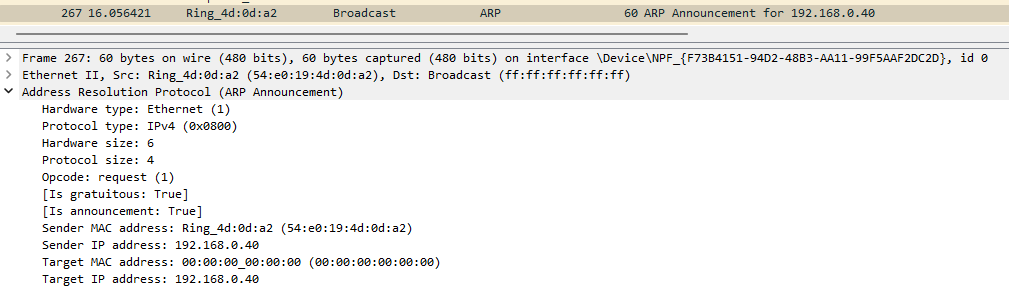
Gratuitous ARPs are not required for normal network communication, but they can be useful for ensuring network reliability and troubleshooting network issues.
ARP Cache
An ARP cache is a table or database on a device that contains information about the MAC addresses of other devices on the same network, along with their corresponding IP address.
When a device needs to send data to another device on the network, it first checks its ARP cache to see if it already has the MAC address of the recipient device. If the address is found in the cache, the device can send data directly to that device without having to perform an ARP broadcast to discover the physical address.
The ARP cache is populated via ARP requests and gratuitous ARP broadcasts. When a device receives ARP data, it stores the MAC and IP address pair in its ARP cache, along with a time-to-live (TTL) value that indicates how long the entry should remain in the cache.
The ARP cache can improve network performance by reducing the number of ARP broadcasts required for communication between devices. However, if a device’s ARP cache becomes stale or inaccurate, it can cause communication issues on the network. For this reason, ARP caches are typically periodically refreshed or cleared to ensure that they contain accurate information about the devices on the network.
Checking your ARP cache
On a Windows device, you can check your ARP cache by opening a CMD prompt and typing arp -a
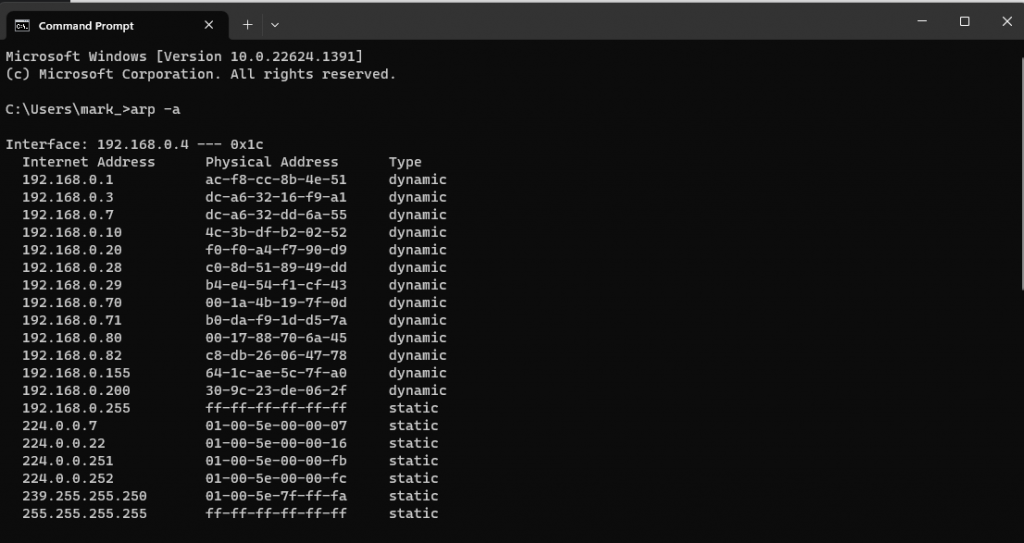
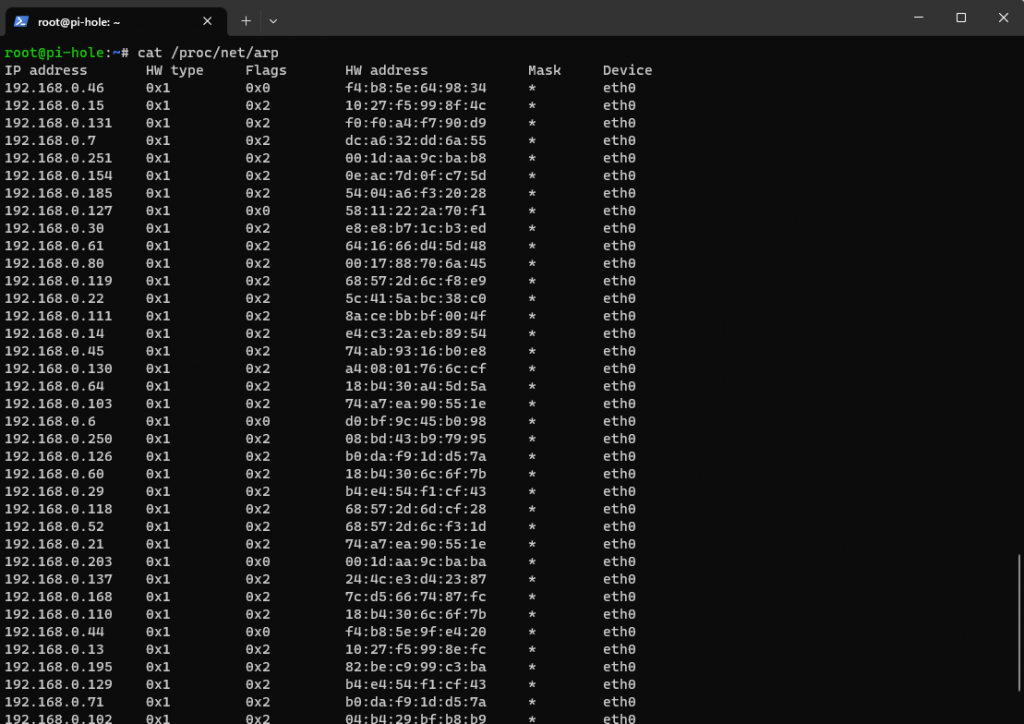
On a Linux device, the ARP cache is located at /proc/net/arp and can be viewed via the cat command or other similar utility.
Note that on many modern Linux distributions, the older net-tools package (which provides the arp command) isn’t installed by default. The current recommended way to view the same information is via the ip neigh show command, which is part of the more actively maintained iproute2 package.
ARP and security
ARP was designed in an era when networks were small and trusted, so it has no built-in authentication — any device on the network can claim to own any IP address simply by sending an ARP reply, whether it was asked or not.
This weakness is exploited in an attack known as ARP spoofing (also called ARP poisoning). An attacker sends forged ARP replies claiming their own MAC address is the owner of another device’s IP — often the network’s default gateway. Other devices on the network update their ARP caches to believe the attacker’s machine is the router, and start sending it traffic that was meant for somewhere else.
For more information about ARP poisoning & ARP spoofing, see my Cyber Attacks Explained page
This is one of the most common ways to carry out a Man-in-the-Middle (MiTM) attack on a local network, since the attacker’s machine ends up sitting between the victim and the real gateway, able to read, modify, or drop traffic before forwarding it on. You can read more about this class of attack on the Man in the Middle (MiTM) page.
Some defences against ARP spoofing include static ARP entries for critical devices, “Dynamic ARP Inspection” on managed switches, and network monitoring tools that alert when a MAC address suddenly claims a new IP.