
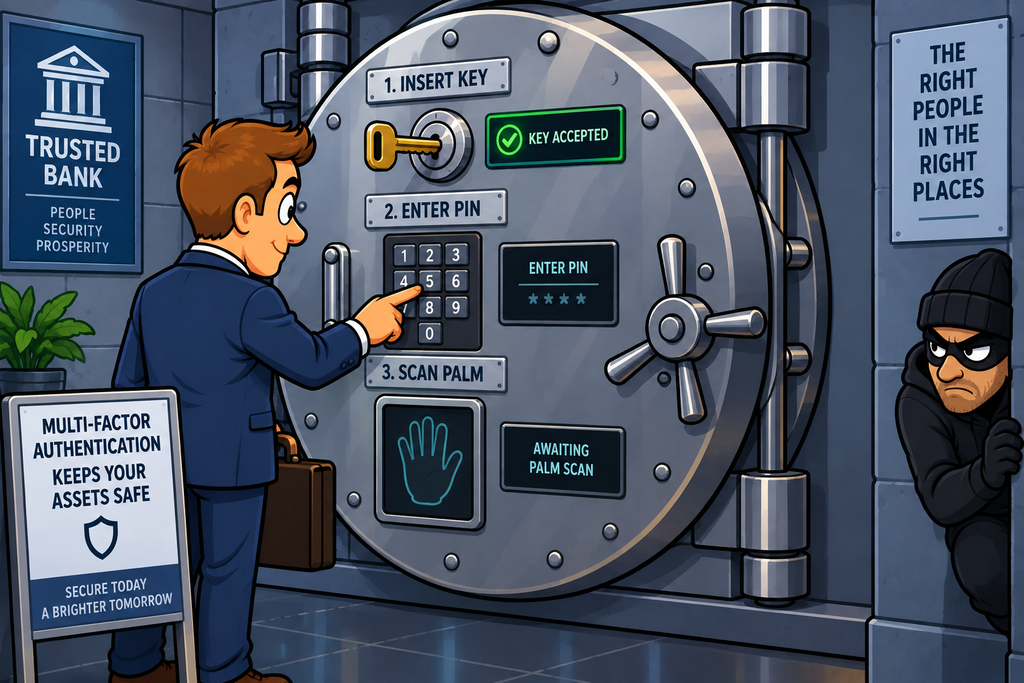
Imagine a bank vault.
Having a key might not be enough to open the door – perhaps you also need a PIN and a palmprint before the vault will open. Each item provides a different piece of evidence that you are authorised to enter.
This is the basic idea behind Multi-Factor Authentication (MFA).
Instead of relying on a single method to prove someone’s identity, MFA requires two or more different authentication factors.
The important word here is different.
Using two passwords isn’t really MFA – both passwords are something you know
Using a password and a physical security key is using two dissimilar things – Something you know and something you have
Using a password and a fingerprint is also MFA – something you know and something you are
Using a password and a one-time code from an authenticator application is also MFA – something you have, and something given to you by a trusted entity
The goal is straightforward:
If one authentication factor is compromised, the attacker still needs another factor.
What Is Multi-Factor Authentication?
Authentication is the process of establishing that someone, or something is who or what it claims to be.
Traditionally, this has often meant a username and a password
Usernames are commonly public knowledge – so the only thing protecting the access is the password
The problem is that passwords can be:
- Guessed
- Brute-forced
- Phished
- Reused
- Stolen
- Leaked
- Captured by malware
- Shared with other people
If the password is the only thing protecting an account, stealing that password may be enough to take over the account.
MFA introduces another barrier – An attacker who has stolen the password still needs the second factor.
The Three Main Authentication Factors
Authentication factors are generally divided into three broad categories.
1. Something You Know
Examples include:
- Password
- PIN
- Passphrase
- Security question
2. Something You Have
This is a physical or digital object that you possess.
Examples include:
- Security keys
- Smart cards
- Hardware tokens
- Mobile phones
- Authenticator applications
- One-time password generators
This is particularly interesting because it introduces something that is harder for an attacker to obtain remotely.
3. Something You Are
This is something inherent to you – normally a biometric characteristic.
Examples include:
- Fingerprint
- Face
- Iris
- Voice
Biometrics can be extremely convenient because you don’t have to remember or carry them.
However, they have an important limitation:
You can’t change your fingerprint in the same way that you can change a password.
This makes biometric information something that needs to be handled carefully.
MFA involves a combination of two or more of these different properties
Password + Authenticator App
One of the most common forms of MFA combines a password with a code generated by an authenticator application.
The application generates a temporary code – E.g. 482 913
The code changes at regular intervals
Even if an attacker knows the password, they most likely do not have access to the authenticator application or the secret used to generate the codes in the application.

Time-Based One-Time Passwords
A common technology behind authenticator applications is a Time-Based One-Time Password (TOTP).
The application and the authentication server share a secret which they use, together with the current time to generate a temporary code.
The resulting code is normally valid for only a short period (60 seconds is common)
This makes it considerably more difficult for an attacker to reuse a captured code at a later time
Push Notifications
Another common approach is a push notification.
Instead of asking the user to type a code, the authentication service sends a notification to the users registered device and asks the user to confirm the login.
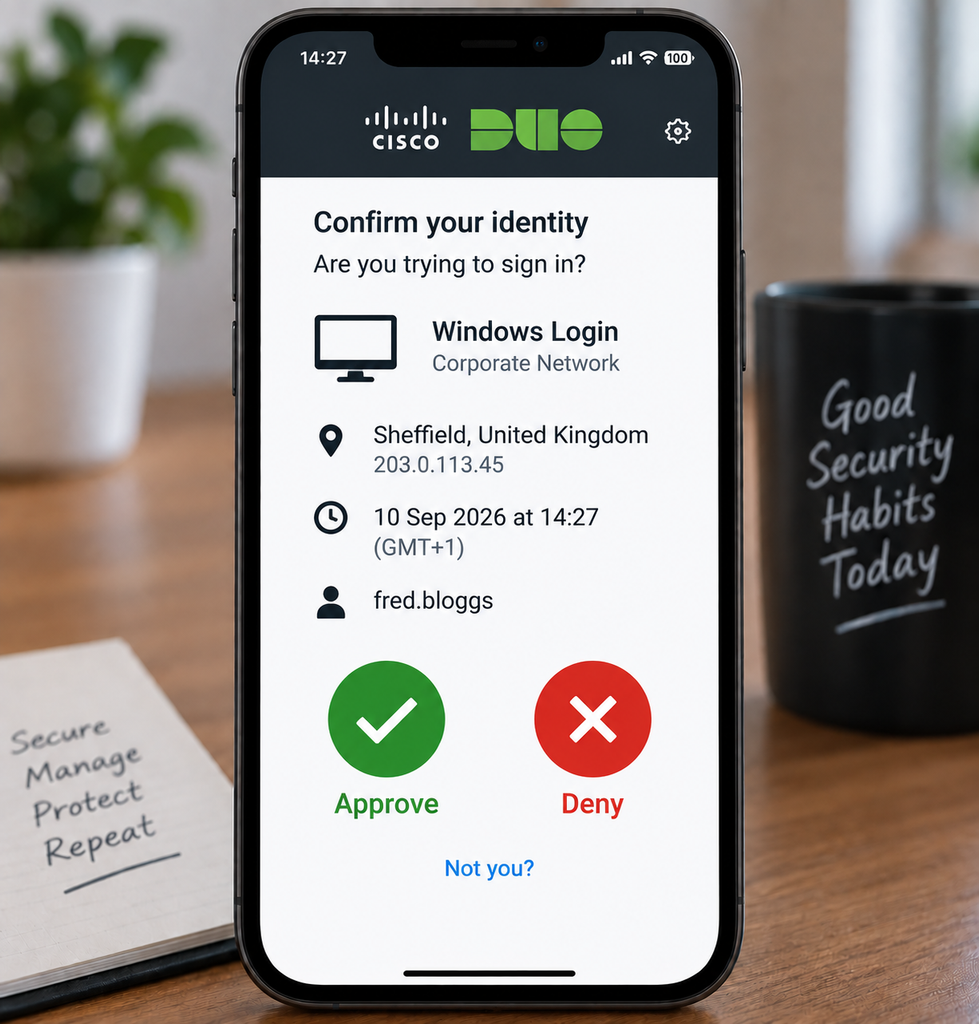
This can be convenient, but it introduces another potential attack:
MFA fatigue.
MFA Fatigue
Imagine an attacker has obtained someone’s password and repeatedly attempt to log in to their account. If push notifications are part of the MFA process, the victim’s phone receives:
Sign-in request
[Approve] [Deny]
Then another:
Sign-in request
[Approve] [Deny]
Then another.
And another.
And another…
Eventually the user might approve the request simply to make the notifications stop. The user doesn’t realise that they have just granted the attacker access to their account.
This is known as MFA fatigue or MFA push bombing.
The lesson is important – MFA improves security, but the way MFA is implemented matters.
Some organisations therefore use additional controls such as:
- Number matching
- Login context
- Device information
- Location information
- Phishing-resistant authentication
Physical Security Keys
One of the strongest and most interesting forms of MFA involves a physical security key.
Examples of these include hardware security keys such as YubiKeys.

The key is a small physical device that can be used to authenticate to a service. the device can often be connected to a device via USB or via NFC.
The key can use standards such as FIDO2/WebAuthn to provide strong, phishing-resistant authentication.
Why Are Security Keys So Interesting?
A conventional MFA code can potentially be entered into a convincing fake website to trick users
A modern phishing-resistant security key works differently – The authentication process is cryptographically tied to the legitimate website’s origin.
The key doesn’t simply reveal a reusable secret that the attacker can copy.
If the user is tricked into visiting something like https://fake-example.com, as opposed to https://real-example.com, then the security key can recognise that the domain origin is wrong and refuse to authenticate with it.
This makes phishing-resistant authentication significantly stronger than simply adding another code to a password.
Smart Cards
Another physical authentication mechanism is a smart card.
A smart card contains an RfID chip that can store credentials or cryptographic keys.
Smart cards have traditionally been used in environments such as:
- Government
- Defence
- Enterprise networks
- Secure facilities
- Identity systems
The physical card represents something you have, while the PIN represents something you know.
Biometrics
Biometric authentication uses some type of characteristic of the individual such as a fingerprint, palm-print, iris patterns, or facial features.
Biometrics are particularly common in modern smartphones and laptops, but they have some important limitations.
A password can be changed.
A biometric characteristic generally cannot.
If a password is compromised, you can simply reset the password to something different
But you can’t simply replace your fingerprint, or your iris.
Biometric systems also need to consider:
- False positives
- False negatives
- Spoofing
- Sensor quality
- Privacy
- Storage of biometric information
- Legal requirements
For these reasons, biometric authentication needs to be carefully designed.
Biometrics and Local Device Authentication
An important distinction is where the biometric information is processed.
Modern devices can often use the biometric data to unlock a protected credential locally, rather than sending the user’s fingerprint or face image to every service they access.
This can be a much better privacy and security architecture than distributing raw biometric information to every application.
Location as an Authentication Signal
Location can sometimes be used as an additional contextual signal when using MFA
For example, lets imagine the scenario where the user (Alice) is logging on to the payroll system via her corporate laptop from her home location in the UK at 09:15
User:       Alice
Device:     Company laptop
Location:   UK
Time:       09:15
Request:    Access payroll
The system could determine that this is consistent with expected behaviour of this user.
Compare that with the user (Alice) logging on to the payroll system via an unknown device from Spain at 03:17
User:       Alice
Device:     Unknown
Location:   ES
Time:       03:17
Request:    Access payroll
This could trigger additional authentication requests or deny access.
Location is generally better thought of as contextual information rather than one of the three classic authentication factors.
It can strengthen an authentication decision without replacing a proper authentication factor.
Behavioural Authentication
Systems can also examine behavioural characteristics such as:
- Typing patterns
- Mouse behaviour
- Device usage
- Normal login patterns
Again, these can be useful signals, but they shouldn’t automatically be confused with the traditional three authentication-factor categories.
This is often described as adaptive or risk-based authentication.
MFA and Single Sign-On
MFA is often combined with Single Sign-On (SSO).
Instead of authenticating separately to every application, the organisation can use a central identity provider that once authenticated to (using MFA) can provide tokens for each separate service the user is allowed to access.
This can improve both security and usability.
Instead of managing authentication separately across dozens of applications, the organisation can centralise it.
MFA Doesn’t Replace Good Passwords
MFA significantly reduces the consequences of a stolen password – but passwords still matter.
MFA is an additional layer, not an excuse to abandon good password practices where passwords are still used.
MFA Can Be Bypassed
MFA is powerful, but it isn’t a magic bullet. Attackers have developed techniques specifically designed to get around it.
Phishing
Traditional phishing can attempt to capture a password and an MFA code. The attacker can then attempt to use the information against the legitimate service.
This is one reason phishing-resistant MFA is increasingly important.
Session Cookie Theft
Suppose an attacker manages to steal an already authenticated session. The attacker may be able to use the session without performing the login process again.
MFA protected the login, but the attack happened after authentication.
This demonstrates why MFA needs to be combined with other controls such as:
- Session management
- Device security
- Conditional access
- Token protection
- Monitoring
MFA Fatigue
As discussed earlier, push-based MFA can sometimes be abused by repeatedly sending authentication requests. The attacker hopes that the user eventually approves one.
The defence includes:
- Number matching
- User education
- Risk-based policies
- Stronger authentication methods
- Phishing-resistant MFA
Social Engineering
An attacker may simply try to persuade the victim to reveal or approve the second factor.
For example – “I’m from IT. We’re fixing your account. Can you read me the code you just received?”
The technology may be working perfectly, but here. the attacker is attacking the human being using the technology.
This is why security awareness remains important even when MFA is deployed.
SIM Swapping
SMS-based MFA can be vulnerable to SIM swapping.
An attacker may socially engineer or otherwise compromise a mobile provider’s processes to transfer a victim’s telephone number to another SIM.
The attacker can then potentially receive the SMS message with the MFA code
This doesn’t mean SMS MFA provides no value – It is generally better than having no additional factor at all.
But stronger alternatives such as authenticator applications, hardware security keys and phishing-resistant authentication can provide better protection against many attacks.
Read this page for more detail on SIM swapping.
The Practical Approach
Organisations implementing MFA should consider the following:
Start with important accounts
Prioritise:
1. Privileged administrators
2. Remote access
3. Email
4. Cloud services
5. Financial systems
6. Sensitive applications
7. All remaining users
Prefer strong factors
Where practical, consider:
- Security keys
- Passkeys
- Authenticator applications
- Smart cards
- Biometrics combined with secure credentials
Plan for lost devices
What happens if someone loses their:
- Phone?
- Security key?
- Smart card?
There needs to be a secure recovery process.
Protect the recovery process
This is particularly important.
If an attacker can simply phone the help desk and say:
“I’ve lost my MFA device. Can you disable MFA?”
then the attacker may simply target the recovery process instead.
Account recovery must be protected as carefully as the authentication process itself.
MFA as a Security Control
MFA is primarily a preventive security control – It attempts to prevent unauthorised users from successfully authenticating.
But MFA can also contribute to detective controls – For example, repeated failed MFA attempts can generate alerts which could indicate an attempt to force MFA fatigue against users.
So, as with firewalls and access controls, one technology can contribute to multiple security-control categories.
In Summary
Multi-Factor Authentication (MFA) requires two or more different authentication factors before access is granted.
The three traditional factor categories are:
Something You Know
- Passwords
- PINs
- Passphrases
Something You Have
- YubiKeys and other security keys
- Smart cards
- Mobile phones
- Authenticator applications
- Hardware tokens
Something You Are
- Fingerprints
- Facial recognition
- Iris recognition
- Other biometric characteristics
MFA can significantly reduce the risk associated with stolen passwords, but not all MFA is equally strong.
SMS codes and push notifications can provide useful protection, but stronger approaches include phishing-resistant security keys and passkeys.
Attackers can still attempt to bypass MFA through:
- Phishing
- MFA fatigue
- Social engineering
- Session-token theft
- SIM swapping
- Compromised devices
- Weak account-recovery processes
MFA should therefore be part of a broader security architecture incorporating:
- Strong authentication
- Least Privilege
- Access Controls
- Zero Trust
- Defence in Depth
- Monitoring
- Secure account recovery
The most important distinction to remember is that MFA doesn’t make an account impossible to compromise. What it does is make a stolen password no longer enough.
And in cybersecurity, making an attacker’s job significantly harder can be an extremely valuable security control in its own right.