
Imagine an organisation’s network as a building – There are doors leading into the building, doors between different rooms, and perhaps doors leading into particularly sensitive areas.
You wouldn’t simply leave every door permanently open. Instead, you’d have someone – or something – checking who is allowed through each entrance.
That’s essentially what a firewall does in a computer network.
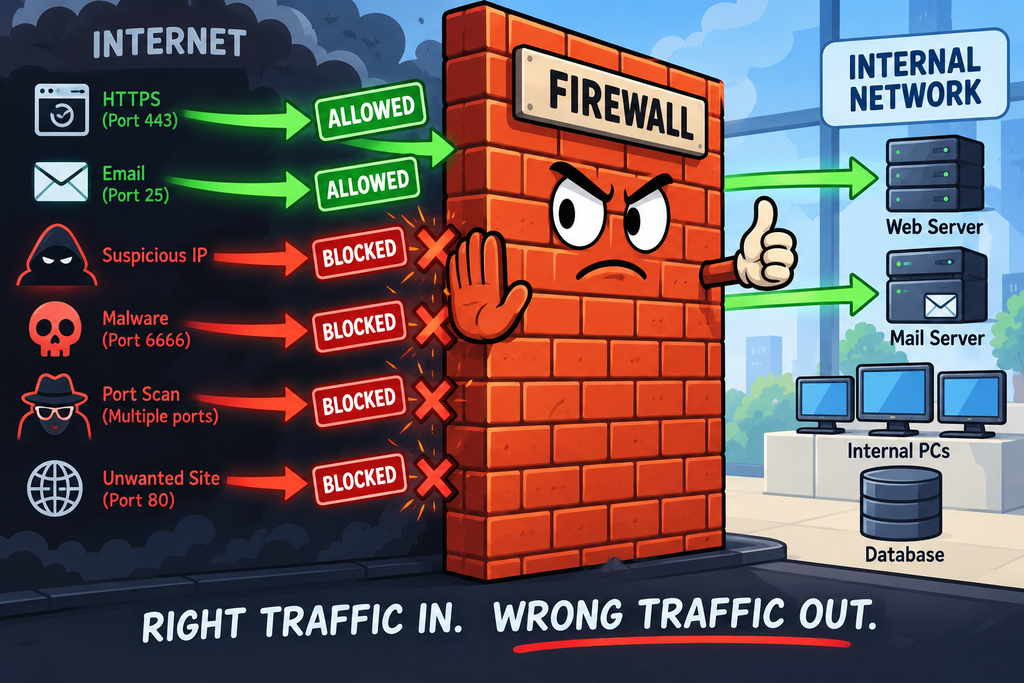
A firewall controls network traffic according to a defined set of security rules. It decides which traffic should be allowed, which should be blocked, and sometimes which traffic should receive additional inspection.
Firewalls are one of the most common examples of a preventive security control.
They don’t guarantee that an attacker can’t get into a network, but they can prevent a huge amount of unwanted traffic from reaching the systems behind them.
What Is a Firewall?
A firewall is a security control that sits between networks, systems or applications and controls traffic flowing between them.
The firewall examines the network traffic flowing through and compares it against its rules.
For example:
Source          Destination       Port       Action
-------------------------------------------------------
Internet        Web Server        TCP 443    ALLOW
Internet        Web Server        TCP 80     ALLOW
Internet        Database          TCP 3306   BLOCK
Internet        Internal PCs      Any        BLOCK
Internal PCs    Internet          443       ALLOW
These rules would be considerably more complicated in a real environment, but the fundamental principle is the same – Traffic is allowed or denied according to a security policy.
What Does a Firewall Actually Do?
At its simplest, a firewall controls network connections.
Depending on the type of firewall, it may examine things such as:
- Source IP address
- Destination IP address
- Source port
- Destination port
- Protocol
- Connection state
- Application
- URL
- HTTP headers
- User identity
- Device identity
- Content within a connection
The more sophisticated the firewall, the more context it can potentially use when making its decision.
The Generations of Firewalls
There isn’t a single universally agreed classification of firewall “generations”. Different vendors and security texts sometimes divide the evolution differently. However, a commonly used progression looks something like this:
- Generation 1 – Packet Filtering
- Generation 2 – Stateful Inspection
- Generation 3 – Application / Proxy Firewalls
- Generation 4 – Next-Generation Firewalls
Let’s look at each stage.
Generation 1 — Packet Filtering
The earliest firewalls primarily examined network and transport-layer information.
A packet header contains information such as that shown below:
Source IP       → 192.168.1.50
Destination IP  → 203.0.113.10
Protocol        → TCP
Destination port→ 443
A basic firewall can examine these values and decide whether to allow or deny the packet.
For example:
ALLOW TCP 443
BLOCK TCP 23
BLOCK TCP 445
This approach is fast and relatively simple.
However, it doesn’t necessarily understand what is happening at the application level.
Advantages
- Fast
- Simple
- Low overhead
- Easy to understand
Limitations
They have limited understanding of the actual application or connection.
A firewall may know that traffic is going to TCP port 443 without necessarily knowing what the traffic contains.
Generation 2 — Stateful Inspection
Stateful firewalls introduced awareness of connection state.
A stateful firewall keeps track of network connections, and maintains information about the state of the connection.
It can therefore distinguish between:
- A legitimate response to a connection initiated from inside
- An unexpected connection attempt arriving from outside
This was a significant improvement over simple stateless packet filtering.
Instead of treating every packet independently, the firewall maintains a state table.
Connection             State
--------------------------------
10.1.1.20 → Web        ESTABLISHED
10.1.1.25 → Mail       ESTABLISHED
Internet → Server      NEW
This allows firewalls to make better decisions about whether traffic was part of an expected connection.
Advantages
- Better control of connections
- More context than simple packet filtering
- Can block unexpected traffic
- Became the standard approach for many network firewalls
Limitations
The firewall still has limited visibility into the actual application behaviour.
Generation 3 — Application-Layer Firewalls / Proxy Firewalls
The next step in the evolution of firewalls was to understand traffic at a higher level.
An application-layer firewall can inspect protocols and applications rather than simply looking at IP addresses and ports.
For example, rather than seeing:
TCP → Port 443the firewall may understand:
HTTPS
   ↓
HTTP request
   ↓
GET /account/profile
This gives the firewall considerably more context – It can potentially identify things that wouldn’t be obvious from the packet headers alone.
These firewalls began examining traffic at the application layer which provides considerably more visibility.
A proxy firewall acts as an intermediary between a client and a destination.
The proxy can terminate the original connection and establish a separate connection to the destination. This provides an opportunity to inspect and control the traffic at a much deeper level.
For example, an HTTP proxy might examine:
- Requested websites
- HTTP methods
- Headers
- URLs
- Content
- Authentication
- File transfers
A web proxy, for example, might recognise:
HTTP request
GET /login
Host: example.com
rather than simply seeing:
TCP 443Advantages
- Deeper inspection
- Application-aware filtering
- Better policy enforcement
- Greater visibility
Limitations
- More processing overhead
- More complicated configuration
- Application protocols can change
- Encryption makes inspection more difficult
Generation 4 — Next-Generation Firewalls
Modern Next-Generation Firewalls (NGFWs) combine traditional firewall functionality with additional security capabilities.
Depending on the product, an NGFW may provide:
- Stateful inspection
- Application identification
- User identification
- Intrusion prevention
- URL filtering
- Malware inspection
- TLS inspection
- Threat intelligence
- Advanced logging
- Policy-based access control
So, instead of simply asking “Is this TCP port 443?”, the firewall might be able to ask “Is this an approved HTTPS application being used by an authorised user from an approved device?”
That is a much more sophisticated security decision.
Different Types of Firewalls
Firewalls aren’t all the same – They can be deployed at different points in an architecture and can protect different things.
Commonly we see these different types of firewalls:
- Network Firewalls
- Host-based Firewalls
- Personal Firewalls
- Web Application Firewalls
- Cloud Firewalls
- Virtual Firewalls
Network Firewalls
A network firewall protects a network or network segment.
Network firewalls are commonly used at:
- Internet gateways
- Data-centre boundaries
- Network segmentation points
- DMZ boundaries
- Cloud network boundaries
They can protect large numbers of systems simultaneously.
Host-Based Firewalls
A host-based firewall runs directly on an individual computer or server.
This allows different machines to have different firewall policies.
For example, a web server might allow:
TCP 443
TCP 80
while a database server might allow:
TCP 3306but only from specific application servers.
Host-based firewalls are particularly useful because they provide protection even when a device is connected to an untrusted network.
Personal Firewalls
A personal firewall is essentially a host firewall designed for an individual user’s computer.
Modern operating systems commonly include built-in firewall functionality. (E.G. Windows Defender Firewall)
For example, a personal firewall can prevent an unexpected application from accepting incoming network connections.
This provides another layer of protection even if the computer is outside the organisation’s network.
Web Application Firewalls
A Web Application Firewall (WAF) is designed specifically to protect web applications.
It operates at a much higher level than a traditional network firewall.
A WAF can examine things such as:
- HTTP requests
- URLs
- Headers
- Cookies
- Parameters
- Request methods
- Application-specific patterns
It can help protect against classes of attacks such as:
- SQL injection
- Cross-site scripting
- Malicious request patterns
- Application-layer abuse
A WAF isn’t a replacement for secure application development – It is another layer of protection.
Cloud Firewalls
Firewalls can also exist within cloud environments.
Rather than protecting a physical network boundary, cloud firewall controls can protect:
- Virtual networks
- Subnets
- Workloads
- Containers
- Cloud applications
- Internet-facing services
The underlying principle remains the same in that it still controls which traffic is allowed to reach which resources.
Virtual Firewalls
A firewall doesn’t necessarily have to be a physical appliance.
A virtual firewall is implemented in software and can operate within virtualised or cloud environments. This makes it easier to deploy firewall functionality close to the workloads being protected.
This is particularly useful in environments where traditional network boundaries are becoming less obvious.
Firewall Rules
A firewall is only as effective as its configuration. It is important to set firewall rules correctly otherwise you might block legitimate traffic from passing through, or worse – allow malicious traffic through.
A simplified rule might look like:
Source:       Internet
Destination:  Web Server
Protocol:     TCP
Port:         443
Action:       ALLOW
Another might be:
Source:       Internet
Destination:  Database Server
Protocol:     TCP
Port:         3306
Action:       BLOCK
Rules can become considerably more sophisticated.
They might include:
- Source networks
- Destination networks
- Applications
- Users
- Devices
- Ports
- Protocols
- Time periods
- Geographic information
- Security classifications
The Principle of Default Deny
One of the most important firewall principles is – Deny by default – This means you allow only what is required.
This is much safer than attempting to identify every possible malicious connection and block it individually.
Firewalls and Network Segmentation
Firewalls don’t have to sit only at the edge of the organisation.
They can also separate internal networks which helps to limit an attacker’s ability to move through an environment.
For example, compromising a workstation shouldn’t automatically provide unrestricted access to:
Domain controllers
Databases
Backup systems
Security infrastructure
Segmentation therefore complements Defence in Depth and Least Privilege.
Firewalls Aren’t Just About Attackers
It’s easy to think of a firewall as something that simply blocks hackers, but in reality, firewalls can enforce many different policies.
They can prevent:
- Accidental exposure of services
- Unauthorised remote access
- Unapproved applications communicating externally
- Unnecessary internal communication
- Certain types of malware traffic
- Data moving between inappropriate network segments
They can therefore help control legitimate users and systems as well as attackers.
How Can Attackers Bypass Firewalls?
A firewall can be extremely effective, but it isn’t an impenetrable barrier – Attackers have several ways of getting around or through firewall controls.
Understanding these techniques is important because it demonstrates why firewalls should never be considered the entire security strategy.
1. Exploiting Allowed Services
A firewall might correctly allow HTTPS traffic, but if the web application contains a vulnerability, an attacker may be able to attack the application through the legitimate connection.
The firewall sees:
HTTPS
TCP 443
Allowed ✓
It doesn’t necessarily mean the request itself is safe.
This is one of the reasons application security and WAFs are important.
2. Using Commonly Allowed Ports
Organisations normally need to allow certain traffic.
For example:
- HTTPS (port 443)
- DNS (port 53)
- Email (SMTP port 25, IMAP port 143, POP3 port 110)
- VPN (ports 1194, 51820, 500, 4500)
- Other business services
An attacker may attempt to hide malicious activity inside traffic that the firewall legitimately permits.
This illustrates a fundamental limitation – Blocking a port doesn’t necessarily block malicious activity using that port.
Modern firewalls therefore increasingly inspect applications rather than relying solely on port numbers.
3. Tunnelling
Attackers may attempt to encapsulate one type of traffic inside another protocol that is permitted.
Tunnelling can be particularly difficult to detect if the firewall only examines the outer protocol.
This is one reason modern security controls often examine traffic behaviour and application characteristics rather than simply ports.
4. Encryption
Encryption is excellent for protecting confidentiality, but it creates a visibility problem for security controls.
If traffic is encrypted, the firewall may have limited ability to determine what is inside the connection.
This is why some organisations use TLS inspection, where permitted and appropriate.
However, TLS inspection introduces its own considerations around:
- Privacy
- Performance
- Certificate management
- Compatibility
- Sensitive applications
and so must be managed appropriately with considerations pertinent to privacy of data as well as security of data
5. Compromising an Internal System
A firewall at the Internet boundary may do a good job of preventing an attacker from directly connecting to internal systems.
But what happens if the attacker compromises an internal workstation through another route?
The traffic is now potentially inside the firewall boundary.
This is why internal segmentation and host-based firewalls are important.
6. Misconfiguration
Perhaps the most mundane—and one of the most important—ways around a firewall is simply that fact that someone configured it incorrectly.
Common problems include:
- Overly broad rules
- Unnecessary open ports
- Forgotten temporary rules
- Incorrect source restrictions
- Shadowed rules
- Poorly maintained rule sets
- Unused rules remaining active
Firewall configuration is therefore a security process, not a “configure it once and forget it” activity.
7. Firewall Rule Abuse
If an attacker compromises an account or administrator workstation with sufficient privileges, they may attempt to change firewall rules.
This is why firewall administration should be protected by:
- Strong authentication
- Least privilege
- Separation of duties
- Administrative network controls
- Logging
- Change management
- Monitoring
8. Social Engineering
Sometimes the attacker doesn’t technically bypass the firewall at all – They persuade someone to create the access for them.
The firewall is doing exactly what it was configured to do – The problem is that the authorisation was obtained through deception.
This illustrates why cybersecurity requires more than technical controls.
9. Attacking from an Already Trusted Location
Firewalls frequently make decisions based on network location.
For example:
Internal network → Trusted
Internet          → Untrusted
But modern security architectures increasingly recognise that being inside the network doesn’t automatically make something trustworthy.
An attacker who compromises:
- A workstation
- A server
- A VPN account
- A cloud workload
- A third-party connection
may already have a position from which firewall rules allow further traffic.
This is one of the reasons concepts such as Zero Trust and micro-segmentation have become increasingly important.
Firewalls as a Detective Control
Firewalls are primarily described as a preventive control – Their purpose is to stop unwanted activity before it reaches its destination.
However, modern firewalls also have detective capabilities in that they can generate logs and alerts when suspicious traffic is observed.
So a firewall can contribute to more than one control category, however its primary role is still prevention.
Firewall Logging and Monitoring
A firewall should normally generate useful logs.
For example:
2026-09-09 10:12
Source: 203.0.113.50
Destination: 10.10.20.15
Port: 445
Action: BLOCK
One event on its own might mean very little and be no cause for concern. However, thousands of similar events might indicate the pre-cursor of an attack (such as aggressive port scanning) and should instigate further investigation or remediation.
Firewall logs can therefore feed into:
- SIEM systems
- SOC monitoring
- Incident response
- Threat intelligence
- Security analytics
This transforms the firewall from simply a barrier into a useful source of security intelligence.
Common Firewall Mistakes
Some of the most common firewall problems aren’t caused by sophisticated attackers – They’re caused by poor administration.
A rule such as ANY → ANY → ALLOW effectively defeats much of the purpose of a firewall as it is allowing any protocol from any source IP to be passed through.
Similarly, a firewall containing thousands of poorly documented rules becomes difficult to understand and maintain.
A common scenario is for network administrators to create temporary rules to override restrictive rules when conducting troubleshooting activities – however a rule created for troubleshooting may never be removed and as such creates a hole through which attackers can potentially gain access.
In business, operating requirements change frequently – New services are implemented, old services are terminated, new technologies are adopted, connections to new external services are required, etc. The firewall rules need to change with these changing business requirements.
Something which is quite common across the whole IT world is poor documentation systems are built, systems are changed – but nobody records why these things happened.
When this happens with a firewalls, nobody knows why a rule exists – what is it protecting?, is the rule still needed?, is the rule configured properly?
The safest action becomes difficult to determine.
Firewall Rule Management
Good firewall management should include:
- Requirements definitions
- Creation of the rules
- Testing the rules
- Monitor the network under the new rules
- Review the rules
The goal should be to maintain the smallest set of rules necessary to support the organisation’s legitimate requirements.
This is essentially the principle of least privilege applied to network traffic.
In Summary
A firewall is a security control that monitors and controls network traffic according to defined security rules.
Firewalls have evolved considerably:
- Packet filtering — examines basic network and transport information.
- Stateful inspection — tracks connections and their state.
- Application/proxy firewalls — understand traffic at the application level.
- Next-generation firewalls — combine firewalling with application awareness, identity, IPS and other security capabilities.
There are also different types of firewall designed for different purposes:
- Network firewalls protect networks and network boundaries.
- Host-based firewalls protect individual systems.
- Personal firewalls protect individual user devices.
- Proxy firewalls act as intermediaries and can inspect application traffic.
- Web Application Firewalls protect web applications.
- Cloud and virtual firewalls protect modern virtualised and cloud environments.
Attackers can attempt to bypass firewall protection through:
- Exploiting legitimate, allowed services
- Tunnelling traffic
- Using encrypted connections
- Compromising internal systems
- Exploiting misconfigurations
- Abusing firewall administration
- Social engineering
- Operating from already trusted locations
The best firewall strategy is therefore not to simply “Put a firewall on the network.”, it is to “Control network communication according to what is actually required, minimise unnecessary exposure, monitor what happens, and use multiple layers of protection.”
A firewall can prevent an attacker from reaching a vulnerable system, but if the vulnerable system is deliberately exposed through an allowed service, the firewall may have already done its job.
The firewall controls the road. It doesn’t guarantee that every vehicle travelling on the road is safe.