
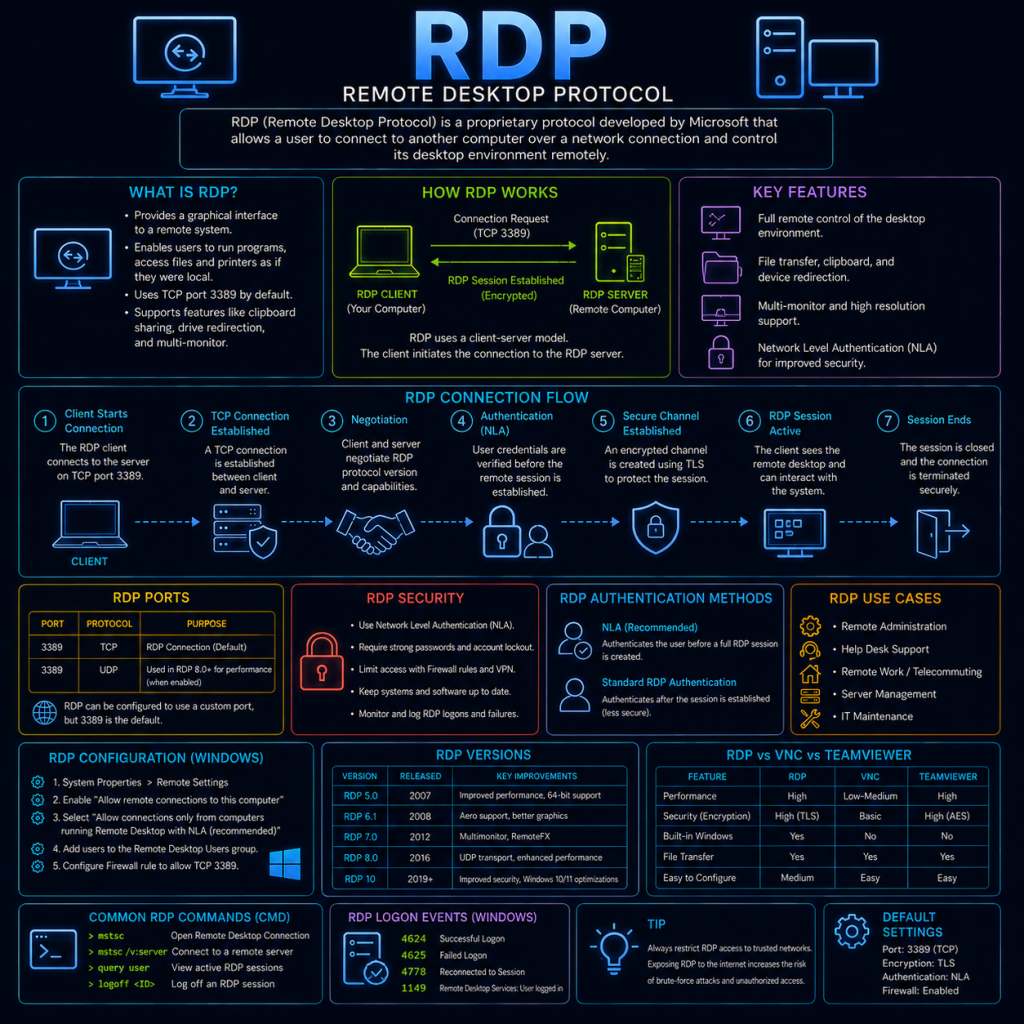
RDP (Remote Desktop Protocol) is a proprietary protocol developed by Microsoft that allows a user to remotely view and control the graphical desktop of another Windows machine over a network, as though sitting directly in front of it. It’s built into every version of Windows (client editions can be connected to, but generally not from, without additional licensing), and is one of the most widely used remote administration tools in enterprise IT.
RDP typically operates on TCP port 3389.
How RDP works
At a high level, RDP works by sending a compressed, encoded representation of the remote machine’s screen to the client, while sending the client’s keyboard and mouse input back the other way:
- The client initiates a connection to the RDP server (the “listener”) on port 3389.
- A negotiation takes place to agree on protocol capabilities, including which security/encryption method to use (see below).
- The user authenticates — typically with a Windows username and password.
- Once authenticated, the server begins sending screen updates to the client, and the client sends keyboard/mouse input back to the server, which are applied to the remote session as though performed locally.
- The remote session continues to exist on the server even if the client disconnects (unless configured to log off automatically), meaning a user can reconnect later and find their applications and windows exactly as they left them.
Rather than sending a video stream of the whole screen continuously, RDP is designed to be efficient over limited-bandwidth connections — it primarily sends instructions describing what has changed on screen (redrawing specific regions, moving windows, updating text) rather than full images repeatedly, which is part of why it performs reasonably well even over relatively slow connections.
RDP security evolution
Early versions of RDP had a poor security reputation, and much of RDP’s evolution has been driven by closing gaps that were discovered over time:
- Standard RDP Security: The original security layer, using an encryption method that had known weaknesses and did not verify the server’s identity to the client — leaving early RDP connections vulnerable to Man in the Middle interception.
- TLS: Later versions of RDP added the option to secure the connection using TLS (see the TLS page) instead, bringing proper certificate-based server authentication and strong, modern encryption to the connection.
- CredSSP / Network Level Authentication (NLA): The current default and recommended configuration on modern Windows. NLA requires a user to authenticate before a full remote desktop session is even established, rather than presenting a full Windows login screen to anyone who simply connects. This is a meaningful security improvement, since it means an unauthenticated attacker never gets far enough to interact with an actual login prompt or see any information about the target machine, and it also protects against a category of attack where a malicious RDP server could otherwise capture credentials from a connecting client.
Modern Windows systems have NLA enabled by default, and disabling it (sometimes done to work around compatibility issues with older RDP clients) should be treated as a deliberate, understood trade-off rather than a routine troubleshooting step.
Common RDP usage
On Windows, RDP connections are made using the built-in Remote Desktop Connection client (mstsc.exe):
mstsc /v:cybertrainer-server.local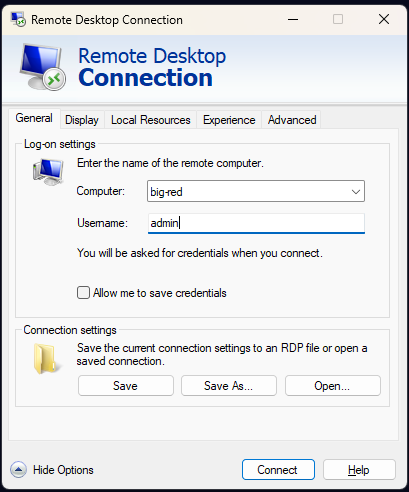
On Linux and macOS, third-party clients such as Remmina, FreeRDP, or Microsoft Remote Desktop (macOS) provide equivalent functionality, since RDP is an open, documented protocol despite being a Microsoft creation — allowing compatible clients to be built for other platforms.
Administrators can also connect using an RDP file, which stores connection settings (server address, display resolution, redirected drives, etc.) for reuse without re-entering them each time.
RDP and security
Because RDP grants full interactive control of a machine, and because it’s so frequently exposed to allow remote administrators to connect, it has become one of the most consistently targeted protocols on the Internet.
Exposed RDP is one of the leading initial access vectors for ransomware. Attackers routinely scan the entire Internet for devices with port 3389 open, then attempt to gain access via brute-force or credential-stuffing attacks (see the Password attacks page) against exposed RDP logins. Once a valid set of credentials is found, an attacker effectively has the same level of access as a legitimate administrator, and can deploy ransomware directly, disable security tooling, and move laterally to other systems on the network. A significant proportion of major ransomware incidents investigated over the past several years trace their initial access directly back to an exposed, poorly-secured RDP endpoint — this connects directly to the Ransomware page elsewhere on this site.
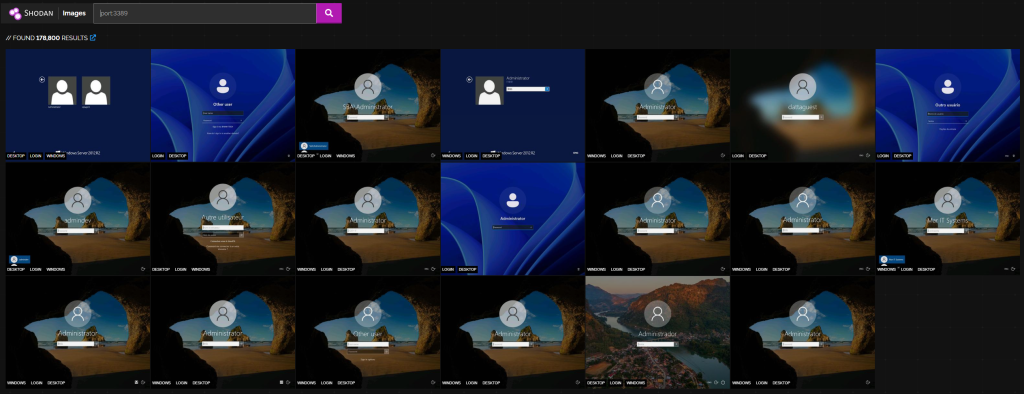
RDP credentials are also actively bought and sold. Underground marketplaces specifically trade in working RDP credentials and access to already-compromised RDP endpoints, since gaining that initial access is often the hardest part of an attack — a market exists precisely because so many organisations still expose RDP directly to the Internet with weak or reused passwords.
BlueKeep (CVE-2019-0708) was a serious, wormable vulnerability discovered in RDP itself in 2019, allowing an attacker to achieve remote code execution against an unpatched, vulnerable system without any authentication at all — no valid credentials were needed. Its wormable nature (meaning it could potentially spread automatically from system to system, similar to WannaCry’s use of the SMB-based EternalBlue exploit) led to unusually urgent, wide-reaching patching advisories, including specific recommendations to secure it from several national cyber security agencies.
Common hardening steps for RDP include:
- Never exposing RDP directly to the public Internet. Instead, requiring a VPN connection first, so port 3389 is only reachable from an already-authenticated, trusted network.
- Enforcing Network Level Authentication (NLA), rather than disabling it for compatibility.
- Using strong, unique passwords and multi-factor authentication wherever supported, given how heavily RDP logins are targeted by automated brute-force attempts.
- Restricting which accounts are permitted to log in via RDP at all, rather than allowing any valid domain account to attempt a connection.
- Keeping systems patched promptly, given RDP’s history of serious vulnerabilities like BlueKeep.
- Monitoring and alerting on failed RDP login attempts, which can indicate an ongoing brute-force attempt in progress.